Step by Step Installing Oracle Enterprise Manager 13cR3( 13.3.0.0 ) Cloud Control

CONTENTS

Introduction

This post demonstrates the installation of Oracle Enterprise Manager Cloud Control 13c Release 3 (13.3.0.0) on Oracle Linux  7 (x86_64).

Subscribe to get access

Read more of this content when you subscribe today.

Access Enterprise Manager Cloud Control 13c

URL :            https://oemnode1:7803/em
username:  sysman
Password:   you specified during your installation

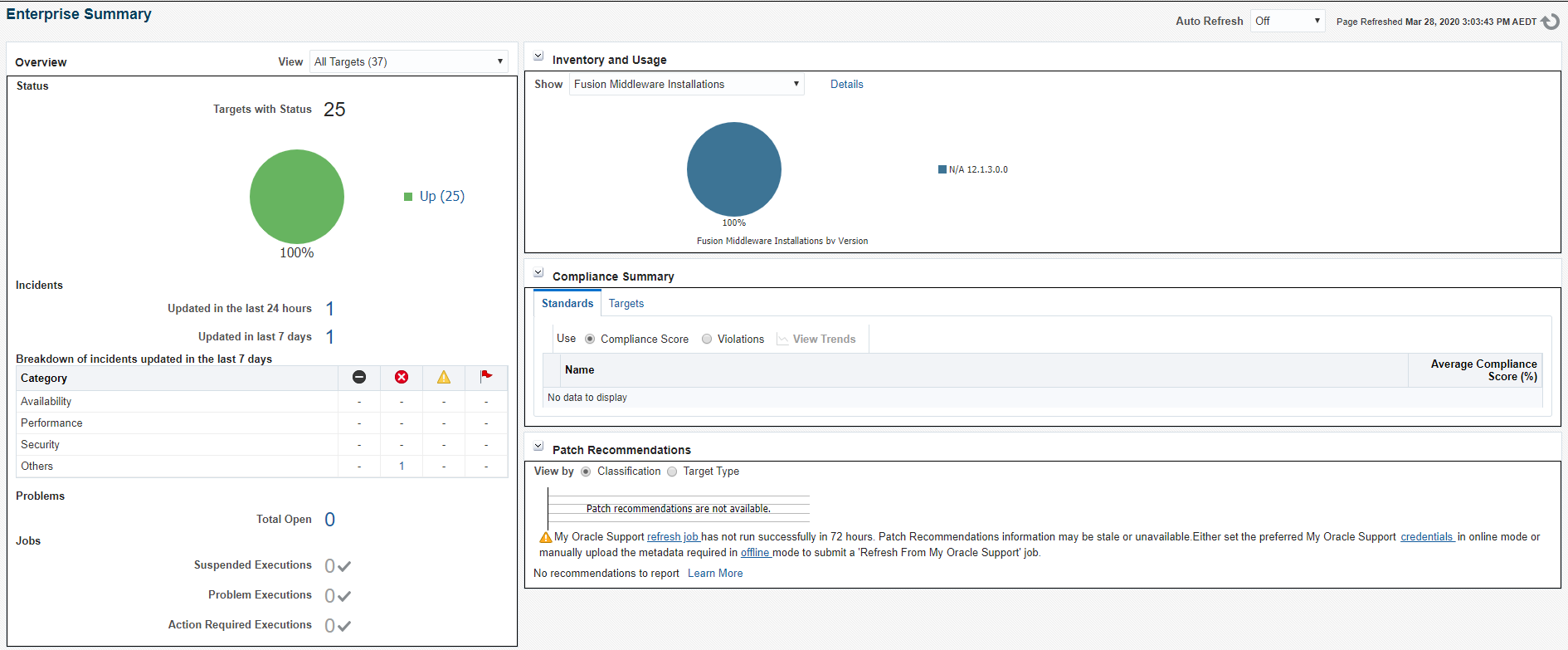
Capture
Capture

Check OMS and Local Agent Status

Local Agent Status

[oracle@oemnode1 scripts]$ . oraenv
ORACLE_SID = [OEMREP] ? AGENT

[oracle@oemnode1 scripts]$ emctl status agent
Oracle Enterprise Manager Cloud Control 13c Release 3
Copyright (c) 1996, 2018 Oracle Corporation. All rights reserved.
---------------------------------------------------------------
Agent Version : 13.3.0.0.0
OMS Version : 13.3.0.0.0
Protocol Version : 12.1.0.1.0
Agent Home : /u01/app/oracle/Product/Agent/agent_inst
Agent Log Directory : /u01/app/oracle/Product/Agent/agent_inst/sysman/log
Agent Binaries : /u01/app/oracle/Product/Agent/agent_13.3.0.0.0
Core JAR Location : /u01/app/oracle/Product/Agent/agent_13.3.0.0.0/jlib
Agent Process ID : 6463
Parent Process ID : 6403
Agent URL : https://oemnode1:3872/emd/main/
Local Agent URL in NAT : https://oemnode1:3872/emd/main/
Repository URL : https://oemnode1:4903/empbs/upload
Started at : 2020-03-27 23:43:12
Started by user : oracle
Operating System : Linux version 4.14.35-1902.10.7.el7uek.x86_64 (amd64)
Number of Targets : 33
Last Reload : (none)
Last successful upload : 2020-03-28 00:14:07
Last attempted upload : 2020-03-28 00:14:07
Total Megabytes of XML files uploaded so far : 1.72
Number of XML files pending upload : 0
Size of XML files pending upload(MB) : 0
Available disk space on upload filesystem : 13.15%
Collection Status : Collections enabled
Heartbeat Status : Ok
Last attempted heartbeat to OMS : 2020-03-28 00:13:52
Last successful heartbeat to OMS : 2020-03-28 00:13:52
Next scheduled heartbeat to OMS : 2020-03-28 00:14:52

Agent is Running and Ready

OMS & BI Publisher status

[oracle@oemnode1 ~]$ . oraenv
ORACLE_SID = [OMS] ? OMS

[oracle@oemnode1 ~]$ emctl status oms -bip_only
Oracle Enterprise Manager Cloud Control 13c Release 3
Copyright (c) 1996, 2018 Oracle Corporation. All rights reserved.
BI Publisher Server is Up

[oracle@oemnode1 ~]$ emctl status oms -details
Oracle Enterprise Manager Cloud Control 13c Release 3
Copyright (c) 1996, 2018 Oracle Corporation. All rights reserved.
Enter Enterprise Manager Root (SYSMAN) Password :
Console Server Host : oemnode1
HTTP Console Port : 7788
HTTPS Console Port : 7803
HTTP Upload Port : 4889
HTTPS Upload Port : 4903
EM Instance Home : /u01/app/oracle/Product/gc_inst/em/EMGC_OMS1
OMS Log Directory Location : /u01/app/oracle/Product/gc_inst/em/EMGC_OMS1/sysman/log
OMS is not configured with SLB or virtual hostname
Agent Upload is locked.
OMS Console is locked.
Active CA ID: 1
Console URL: https://oemnode1:7803/em
Upload URL: https://oemnode1:4903/empbs/upload

WLS Domain Information
Domain Name : GCDomain
Admin Server Host : oemnode1
Admin Server HTTPS Port: 7102
Admin Server is RUNNING

Oracle Management Server Information
Managed Server Instance Name: EMGC_OMS1
Oracle Management Server Instance Host: oemnode1
WebTier is Up
Oracle Management Server is Up
JVMD Engine is Up

BI Publisher Server Information
BI Publisher Managed Server Name: BIP
BI Publisher Server is Up

BI Publisher HTTP Managed Server Port : 9701
BI Publisher HTTPS Managed Server Port : 9803
BI Publisher HTTP OHS Port : 9788
BI Publisher HTTPS OHS Port : 9851
BI Publisher is locked.
BI Publisher Server named 'BIP' running at URL: https://oemnode1:9851/xmlpserver/servlet/home
BI Publisher Server Logs: /u01/app/oracle/Product/gc_inst/user_projects/domains/GCDomain/servers/BIP/logs/
BI Publisher Log : /u01/app/oracle/Product/gc_inst/user_projects/domains/GCDomain/servers/BIP/logs/bipublisher/bipublisher.log
[oracle@oemnode1 ~]$

Most Used Commands for OMS and Agent

Stop only OMS & JVMD Engine

[oracle@oemnode1 ~]$ emctl stop oms
Oracle Enterprise Manager Cloud Control 13c Release 3
Copyright (c) 1996, 2018 Oracle Corporation.  All rights reserved.
Stopping Oracle Management Server...
Oracle Management Server Successfully Stopped
Oracle Management Server is Down
JVMD Engine is Down

[oracle@oemnode1 ~]$ emctl status oms
Oracle Enterprise Manager Cloud Control 13c Release 3
Copyright (c) 1996, 2018 Oracle Corporation.  All rights reserved.
WebTier is Up
Oracle Management Server is Down
JVMD Engine is Down
BI Publisher Server is Up
[oracle@oemnode1 ~]$

Stop OMS including Administration Server, BI Publisher,HTTP Server and Node Manager

[oracle@oemnode1 ~]$ emctl stop oms -all
Oracle Enterprise Manager Cloud Control 13c Release 3
Copyright (c) 1996, 2018 Oracle Corporation.  All rights reserved.
Stopping Oracle Management Server...
WebTier Successfully Stopped
Oracle Management Server Successfully Stopped
Oracle Management Server is Down
JVMD Engine is Down
Stopping BI Publisher Server...
BI Publisher Server Successfully Stopped
AdminServer Successfully Stopped
BI Publisher Server is Down
[oracle@oemnode1 ~]$

Check the status of OMS

[oracle@oemnode1 ~]$ emctl status oms
Oracle Enterprise Manager Cloud Control 13c Release 3
Copyright (c) 1996, 2018 Oracle Corporation. All rights reserved.
WebTier is Up
Oracle Management Server is Up
JVMD Engine is Up
BI Publisher Server is Up
[oracle@oemnode1 ~]$

Get detailed OMS status,  SYSMAN Password is required

[oracle@oemnode1 ~]$ emctl status oms -details
Oracle Enterprise Manager Cloud Control 13c Release 3
Copyright (c) 1996, 2018 Oracle Corporation. All rights reserved.
Enter Enterprise Manager Root (SYSMAN) Password :
Console Server Host : oemnode1
HTTP Console Port : 7788
HTTPS Console Port : 7803
HTTP Upload Port : 4889
HTTPS Upload Port : 4903
EM Instance Home : /u01/app/oracle/Product/gc_inst/em/EMGC_OMS1
OMS Log Directory Location : /u01/app/oracle/Product/gc_inst/em/EMGC_OMS1/sysman/log
OMS is not configured with SLB or virtual hostname
Agent Upload is locked.
OMS Console is locked.
Active CA ID: 1
Console URL: https://oemnode1:7803/em
Upload URL: https://oemnode1:4903/empbs/upload

WLS Domain Information
Domain Name : GCDomain
Admin Server Host : oemnode1
Admin Server HTTPS Port: 7102
Admin Server is RUNNING

Oracle Management Server Information
Managed Server Instance Name: EMGC_OMS1
Oracle Management Server Instance Host: oemnode1
WebTier is Up
Oracle Management Server is Up
JVMD Engine is Up

BI Publisher Server Information
BI Publisher Managed Server Name: BIP
BI Publisher Server is Up

BI Publisher HTTP Managed Server Port : 9701
BI Publisher HTTPS Managed Server Port : 9803
BI Publisher HTTP OHS Port : 9788
BI Publisher HTTPS OHS Port : 9851
BI Publisher is locked.
BI Publisher Server named 'BIP' running at URL: https://oemnode1:9851/xmlpserver/servlet/home
BI Publisher Server Logs: /u01/app/oracle/Product/gc_inst/user_projects/domains/GCDomain/servers/BIP/logs/
BI Publisher Log : /u01/app/oracle/Product/gc_inst/user_projects/domains/GCDomain/servers/BIP/logs/bipublisher/bipublisher.log

Stop OEM agent

[oracle@oemnode1 ~]$ emctl stop agent

Start OEM agent

[oracle@oemnode1 ~]$ emctl start agent

Check status of OEM agent

[oracle@oemnode1 ~]$ emctl status agent

emctl start oms hangs at Starting Oracle Management Server

SYMPTOM

When starting up 13cR3 OMS server, the command hangs forever.

[oracle@oemnode1 ~]$ emctl start oms
Oracle Enterprise Manager Cloud Control 13c Release 3
Copyright (c) 1996, 2018 Oracle Corporation. All rights reserved.
Starting Oracle Management Server...

Subscribe to get access

Read more of this content when you subscribe today.

Unconfigure Oracle 18c Clusterware Without Removing Binaries

We might encounter an error on one or more cluster nodes during installation when running the root.sh command, such as a missing operating system package on one node. By running “rootcrs.sh -deconfig -force” on nodes where you encounter an installation error, you can unconfigure Oracle Clusterware on those nodes, correct the cause of the error, and then run root.sh again.

[root@racnode1 install]# cd /u01/app/18.0.0/grid/crs/install
[root@racnode1 install]# ./rootcrs.sh -deconfig -force
Using configuration parameter file: /u01/app/18.0.0/grid/crs/install/crsconfig_params
The log of current session can be found at:
/u01/app/grid/crsdata/racnode1/crsconfig/crsdeconfig_racnode1_2020-03-12_09-58-18PM.log
PRCR-1070 : Failed to check if resource ora.net1.network is registered
CRS-0184 : Cannot communicate with the CRS daemon.
PRCR-1070 : Failed to check if resource ora.helper is registered
CRS-0184 : Cannot communicate with the CRS daemon.
PRCR-1070 : Failed to check if resource ora.ons is registered
CRS-0184 : Cannot communicate with the CRS daemon.

2020/03/12 21:58:25 CLSRSC-180: An error occurred while executing the command '/u01/app/18.0.0/grid/bin/srvctl config nodeapps'
2020/03/12 21:58:36 CLSRSC-336: Successfully deconfigured Oracle Clusterware stack on this node
[root@racnode1 install]# ls -ltr /u01/app/grid/crsdata/racnode1/crsconfig/crsdeconfig_racnode1_2020-03-12_09-58-18PM.log
-rw-rw-r-- 1 grid oinstall 45152 Mar 12 21:58 /u01/app/grid/crsdata/racnode1/crsconfig/crsdeconfig_racnode1_2020-03-12_09-58-18PM.log
[root@racnode1 install]#

crsdeconfig_racnode1_2020-03-12_09-58-18PM.log

Install Oracle Database 18c Using RPM Packages

From Oracle Database 18c, we can install below Oracle software using RPM packages.

  • a single-instance Oracle Database.
  • an Oracle Database Instant Client software.

After software is installed, Oracle database can be created by:

  • Database Configuration Assistant (Oracle DBCA).
  • /etc/init.d/oracledb_ORCLCDB-18c service configuration script.

Restrictions and Guidelines for RPM-Based Installations.

  • Patching is still to use the OPatch utility.
  • Standard Edition 2 has no RPM-based Oracle Database installation available for.
  • Upgrades using rpm -Uvh is not supported. For Oracle Database upgrades, follow the regular upgrade process.
  • An RPM-based installation supports the installation of multiple Oracle Database software versions into different Oracle homes on the same machine.

Installing Oracle Database RPM using YUM

1)Log in as root.
2)If you are using Oracle Linux and have subscribed to Unbreakable Linux Network (ULN), you can install Oracle Database via a single yum command.

# yum -y install oracle-database-ee-18c

This command downloads and installs the Oracle Preinstallation RPM and the Oracle Database RPM packages.

Installing Oracle Database RPM Manually

1)Log in as root.
2)Download and install the Oracle Preinstallation RPM:

  1. On Oracle Linux.
    # yum -y install oracle-database-preinstall-18c 
    [root@oemnode1 ~]# rpm -qa | grep oracle-database-preinstall-18 oracle-database-preinstall-18c-1.0-1.el7.x86_64
  2. On Red Hat Enterprise Linux.
    # curl -o oracle-database-preinstall-18c-1.0-1.el7.x86_64.rpm https://yum.oracle.com/repo/OracleLinux/OL7/latest/x86_64/getPackage/oracle-database-preinstall-18c-1.0-1.el7.x86_64.rpm 

    # yum -y localinstall oracle-database-preinstall-18c-1.0-1.el7.x86_64.rpm

    After successful installation, you can delete the downloaded RPM file:

    # rm oracle-database-preinstall-18c-1.0-1.el7.x86_64.rpm

3)Download oracle-database-ee-18c-1.0-1.x86_64.rpm to the /tmp directory.

4) Install the database software using the yum localinstall command.

#chown oracle:oinstll /opt/oracle 
#cd /tmp
[root@oemnode1 tmp]# yum -y localinstall oracle-database-ee-18c-1.0-1.x86_64.rpm Loaded plugins: ulninfo Examining oracle-database-ee-18c-1.0-1.x86_64.rpm: oracle-database-ee-18c-1.0-1.x86_64 Marking oracle-database-ee-18c-1.0-1.x86_64.rpm to be installed Resolving Dependencies --> Running transaction check ---> Package oracle-database-ee-18c.x86_64 0:1.0-1 will be installed --> Finished Dependency Resolution Dependencies Resolved ============================================================================================================================================================================================================================================= Package Arch Version Repository Size ======================================================================================================== Installing: oracle-database-ee-18c x86_64 1.0-1 /oracle-database-ee-18c-1.0-1.x86_64 7.8 G Transaction Summary ======================================================================================================== Install 1 Package Total size: 7.8 G Installed size: 7.8 G Downloading packages: Running transaction check Running transaction test Transaction test succeeded Running transaction Installing : oracle-database-ee-18c-1.0-1.x86_64 1/1 [INFO] Executing post installation scripts... [INFO] Oracle home installed successfully and ready to be configured. To configure a sample Oracle Database you can execute the following service configuration script as root: /etc/init.d/oracledb_ORCLCDB-18c configure Verifying : oracle-database-ee-18c-1.0-1.x86_64 1/1 Installed: oracle-database-ee-18c.x86_64 0:1.0-1 Complete!

Creating and Configuring an Oracle Database

  1. Tried to change ORACLE_SID, and PDB_NAME into whatever you  want in  configuration  file  “/etc/init.d/oracledb_ORCLCDB-18c”. But it did not work when creating database in the next step, so we have to use the default ones.

2. To create and configure a sample Oracle Database instance, run the following service configuration script:

[root@oemnode1 init.d]# /etc/init.d/oracledb_ORCLCDB-18c configure
Configuring Oracle Database ORCLCDB.
Prepare for db operation
8% complete
Copying database files
31% complete
Creating and starting Oracle instance
32% complete
36% complete
40% complete
43% complete
46% complete
Completing Database Creation
51% complete
54% complete
Creating Pluggable Databases
58% complete
77% complete
Executing Post Configuration Actions
100% complete
Database creation complete. For details check the logfiles at:
 /opt/oracle/cfgtoollogs/dbca/ORCLCDB.
Database Information:
Global Database Name:ORCLCDB
System Identifier(SID):ORCLCDB
Look at the log file "/opt/oracle/cfgtoollogs/dbca/ORCLCDB/ORCLCDB.log" 
for further details.

Database configuration completed successfully. The passwords were auto 
generated, you must change them by connecting to the database using 
'sqlplus / as sysdba' as the oracle user.
[root@oemnode1 init.d]#

Removing RPM-based Oracle Database Installation

1)Drop instance, and listener configurations.

2)Run following command to remove the database installation by RPM.

[root@oemnode1 ContentsXML]# rpm -qa | grep 18c
oracle-database-preinstall-18c-1.0-1.el7.x86_64
oracle-database-ee-18c-1.0-1.x86_64
[root@oemnode1 ~]#  /etc/rc.d/init.d/oracledb_ORCLCDB-18c  -help
Usage: /etc/rc.d/init.d/oracledb_ORCLCDB-18c {start|stop|restart|configure}

[root@oemnode1 ~]#  /etc/rc.d/init.d/oracledb_ORCLCDB-18c stop
Shutting down Oracle Database instance ORCLCDB.
Oracle Database instance ORCLCDB shut down.
Stopping Oracle Net Listener.
Oracle Net Listener stopped.

[root@oemnode1 oracle]# yum -y remove oracle-database-ee-18c
Loaded plugins: ulninfo
Resolving Dependencies
--> Running transaction check
---> Package oracle-database-ee-18c.x86_64 0:1.0-1 will be erased
--> Finished Dependency Resolution
Dependencies Resolved
=========================================================================
 Package                                                       Arch                                          Version                                      Repository                                                                    Size
=========================================================================
 oracle-database-ee-18c                                        x86_64                                        1.0-1                                        @/oracle-database-ee-18c-1.0-1.x86_64                                        7.8 G

Transaction Summary
==========================================================================
Remove  1 Package

Installed size: 7.8 G
Downloading packages:
Running transaction check
Running transaction test
Transaction test succeeded
Running transaction
[SEVERE] Listeners or databases are present in the system, remove them before proceeding with the deinstallation
error: %preun(oracle-database-ee-18c-1.0-1.x86_64) scriptlet failed, exit status 1
Error in PREUN scriptlet in rpm package oracle-database-ee-18c-1.0-1.x86_64
  Verifying  : oracle-database-ee-18c-1.0-1.x86_64                                                                                                                                                                                     1/1

Failed:
  oracle-database-ee-18c.x86_64 0:1.0-1

Complete!
[root@oemnode1 oracle]

If get above errors, please check :

a) There is no ORACLE_HOME entry in /etc/oratab.

b) There is no files under $ORACLE_HOME/dbs.

c) There is no files under $ORACLE_HOME/network/admin.

[root@oemnode1 ORCLCDB]# yum -y remove oracle-database-ee-18c
Loaded plugins: ulninfo
Resolving Dependencies
--> Running transaction check
---> Package oracle-database-ee-18c.x86_64 0:1.0-1 will be erased
--> Finished Dependency Resolution

Dependencies Resolved

=============================================================================================================================================================================================================================================
Package Arch Version Repository Size
=============================================================================================================================================================================================================================================
Removing:
oracle-database-ee-18c x86_64 1.0-1 @/oracle-database-ee-18c-1.0-1.x86_64 7.8 G

Transaction Summary
=============================================================================================================================================================================================================================================
Remove 1 Package

Installed size: 7.8 G
Downloading packages:
Running transaction check
Running transaction test
Transaction test succeeded
Running transaction
Erasing : oracle-database-ee-18c-1.0-1.x86_64 1/1
warning: file /opt/oracle/product/18c/dbhome_1/network/admin/shrept.lst: remove failed: No such file or directory
warning: file /opt/oracle/product/18c/dbhome_1/network/admin/samples/tnsnames.ora: remove failed: No such file or directory
warning: file /opt/oracle/product/18c/dbhome_1/network/admin/samples/sqlnet.ora: remove failed: No such file or directory
warning: file /opt/oracle/product/18c/dbhome_1/network/admin/samples/listener.ora: remove failed: No such file or directory
warning: file /opt/oracle/product/18c/dbhome_1/network/admin/samples: remove failed: No such file or directory
warning: file /opt/oracle/product/18c/dbhome_1/dbs/init.ora: remove failed: No such file or directory
warning: file /etc/init.d/oracledb_ORCLCDB-18c: remove failed: No such file or directory
Verifying : oracle-database-ee-18c-1.0-1.x86_64 1/1

Removed:
oracle-database-ee-18c.x86_64 0:1.0-1

Complete!