
How to Import SMTP SSL Certificate Into OMS for Email Notifications

This post is to demonstrate how to import mail server  like Gmail SMTP SSL certificates into Oracle 13c OMS for sending email notifications.

Oracle should have automated this process to make DBA life easier.

Without importing mail server’s SMTP SSL certificates, you might get following errors when configuring and testing email notifications.

 Test failed with message: "Could not connect to SMTP host: 
 <smtp.domain>, port: <port>, response: -1" [SMTP Server: 
<smtp.domain>:<port>, User name:<username>,Secure Connection: TLS.
Test failed with message: "Exception reading response" ...
Test failed with message: "Can't send command to SMTP host" ...
Test failed with message: "Could not convert socket to TLS" ...
Test failed with message: "530 5.7.57 SMTP; Client was not 
authenticated to send anonymous mail during MAIL FROM ...

This is because the SMTP server has been configured with a custom SSL certificate which needs to be imported into the Enterprise Manager.

Now we follow the following steps to manually import the Gmail SMTP server’s SSL certificate into the JDK used by the Oracle 13c OMS.

Subscribe to get access

Read more of this content when you subscribe today.

Finally test mail server, and receive an email successfully.

Go to Oracle 13c Enterprise Manager Console -> Setup -> Notifications -> Mail Servers,
Click on ‘Test Mail Servers’ button and verify whether a test email is sent to the Email ID specified for the ‘Sender’s E-mail Address’ field.
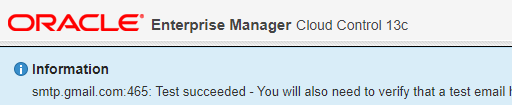
The test email will contain one line with following content.

This test e-mail message from Oracle Enterprise Manager indicates a 
successful configuration of your e-mail address and mail server.

How to Deploy Oracle Management Agents using Agent Gold Images

This post will introduce an  OEM Agent Gold Image feature, which is initially available from OEM 13c.  Agent Gold Image offers an efficient way for deploying and upgrading management agents in a environment with mass targets.

Subscribe to get access

Read more of this content when you subscribe today.

How to Manually Upload a Patch to Enterprise Manager Cloud Control in Offline Mode

This doc demonstrates how to download and then manually upload a patch to the OEM 13c Cloud Control OMS (Software Library). This is the most useful for the environment where OMS couldn’t connect to Oracle support directly due to security or other issues, so the offline patching is enabled.

Subscribe to get access

Read more of this content when you subscribe today.

How to Install Oracle OEM Agent Manually

Sometimes we need install OEM agents manually due to the GUI installation failure for various reasons.  This short doc demonstrates how to install OEM 13c agent manually.

Subscribe to get access

Read more of this content when you subscribe today.

Check the Agent Status

[oracle@racnode1 agent]$ emctl status agent
Oracle Enterprise Manager Cloud Control 13c Release 3
Copyright (c) 1996, 2018 Oracle Corporation. All rights reserved.
---------------------------------------------------------------
Agent Version : 13.3.0.0.0
OMS Version : 13.3.0.0.0
Protocol Version : 12.1.0.1.0
Agent Home : /u01/app/oracle/product/agent/agent_inst
Agent Log Directory : /u01/app/oracle/product/agent/agent_inst/sysman/log
Agent Binaries : /u01/app/oracle/product/agent/agent_13.3.0.0.0
Core JAR Location : /u01/app/oracle/product/agent/agent_13.3.0.0.0/jlib
Agent Process ID : 18048
Parent Process ID : 18012
Agent URL : https://racnode1.virtuallab:3872/emd/main/
Local Agent URL in NAT : https://racnode1.virtuallab:3872/emd/main/
Repository URL : https://oemnode1:4903/empbs/upload
Started at : 2020-04-07 23:44:44
Started by user : oracle
Operating System : Linux version 4.14.35-1902.10.7.el7uek.x86_64 (amd64)
Number of Targets : 3
Last Reload : (none)
Last successful upload : 2020-04-07 23:46:07
Last attempted upload : 2020-04-07 23:46:07
Total Megabytes of XML files uploaded so far : 0.23
Number of XML files pending upload : 0
Size of XML files pending upload(MB) : 0
Available disk space on upload filesystem : 38.81%
Collection Status : Collections enabled
Heartbeat Status : Ok
Last attempted heartbeat to OMS : 2020-04-07 23:45:49
Last successful heartbeat to OMS : 2020-04-07 23:45:49
Next scheduled heartbeat to OMS : 2020-04-07 23:46:49

---------------------------------------------------------------
Agent is Running and Ready
[oracle@racnode1 agent]$