Oracle Updates and Revisions Patching Path

RU/RUR Update/Revision

From  release 12.2.0.1, “Release Update” ( RU)  and ” Release Update Revision” ( RUR)  are released, which replace the legacy PSUs and Proactive Bundle ( PB ) Patches.

From release 18 onwards, the terms ‘Update‘ and ‘Revision‘ are used instead of “Release Update” ( RU ) and ” Release Update Revision”( RUR ) in 12.2.0.1.

Oracle release pattern of Updates and Releases

Oracle release pattern of Updates and Releases
Oracle release pattern of Updates and Releases

Updates and Revisions Patching Path
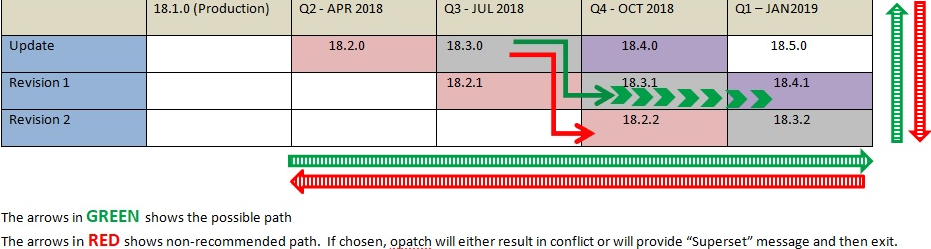
Updates and Revisions Patching Path

The patching path is either :

  • Vertically upward
  • Progressive diagonal
  • Progressive straight.

From an Update, the patching direction should be to either its 2 Revisions, released in consecutive quarters, OR the next quarter’s Update. There is no moving backward or vertical down.

If database is at Update 18.3.0 at the moment, the possible patching path could be :

Update 18.3.0  -> Revisions 18.3.1 , 18.3.2, 18.4.1 and so on
                              or
Update 18.3.0 ->  Updates 18.4.0 , 18.5.0 and so on

Below patching path is NOT supported, because backward patching is non-cumulative. There is no moving back to earlier Release’s Updates and Revisions.

Update 18.3.0 -> Revisions 18.2.1 or 18.2.2 OR to Update 18.2.0

If database is at Revision 18.2.2 at the moment, the possible patching path could be :

Revision 18.2.2 -> Revisions 18.3.1 , 18.3.2, 18.4.1 and so on
                    or
Revision 18.2.2 -> Updates 18.4.0 , 18.5.0 and so on.

Below patching path is NOT supported, Because Update 18.3.0 is non-cumulative to 18.2.2.

Revision 18.2.2 -> Revision 18.2.1 or to Update 18.3.0

Oracle GI 12.2.0.1 and Chronyd Service

As we know, GI 12.1.0.2 still check ntpd though chronyd is running as per this blog

After upgrading to 12.2.0.1 GI, How can GI work with Chronyd ?

Subscribe to get access

Read more of this content when you subscribe today.

Restarting Oracle Clusterware GridSetup.sh OUI after rootupgrade.sh failed due to Network Issue

Due to the network issue, when upgrading 12.1.0.2 gird infrastructure to 12.2.0.1,  “rootupgrade.sh’ failed, and also ‘gridSetup.sh’ OUI disappeared.

Luckily we can continue to the upgrading process as following.

1) Rerun ‘rootupgrade.sh’ on racnode1.

2) then run ‘rootupgrade.sh’ on racnode2.

3) Run ‘gridSetup.sh’ OUI from VNC viewer X window:

[grid@racnode1 ~]$ /u01/app/12.2.0.1/grid/gridSetup.sh -skipPrereqs 
         -executeConfigTools -responseFile /home/grid/grid_12102_12201.rsp
Launching Oracle Grid Infrastructure Setup Wizard...

You can find the logs of this session at:
/u01/app/oraInventory/logs/GridSetupActions2020-01-14_00-37-21AM

The response file was manually saved from previous ‘gridSetup.sh’, which failed due to network issue.

Either you can find the same response file from directory ‘/u01/app/12.2.0.1/grid/install/response’.

Make sure to use the latest right response file.

[grid@racnode1 install]$ ls -ltr /home/grid/grid_12102_12201.rsp
-rw-r--r-- 1 grid oinstall 35310 Jan13 22:01/home/grid/grid_12102_12201.rsp

[grid@racnode1 install]$ ls -ltr /u01/app/12.2.0.1/grid/install/response
total 112
-rw-r----- 1 grid oinstall 1541 May21 2016 sample.ccf
-rw-r----- 1 grid oinstall 35087 Jan27 2017 gridsetup.rsp
-rw-r--r-- 1 grid oinstall 34357 Jan27 2017 grid_2017-01-26_04-10-28PM.rsp
-rw-r--r-- 1 grid oinstall 35310 Jan13 22:04 grid_2020-01-13_09-59-39PM.rsp
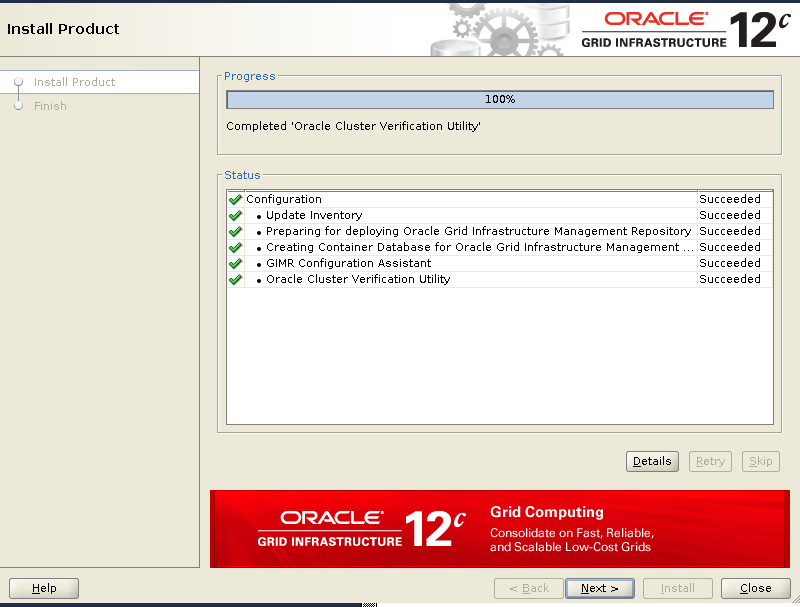
Start gridSetup.sh
Start gridSetup.sh
gridSetup.sh Upgrade GI
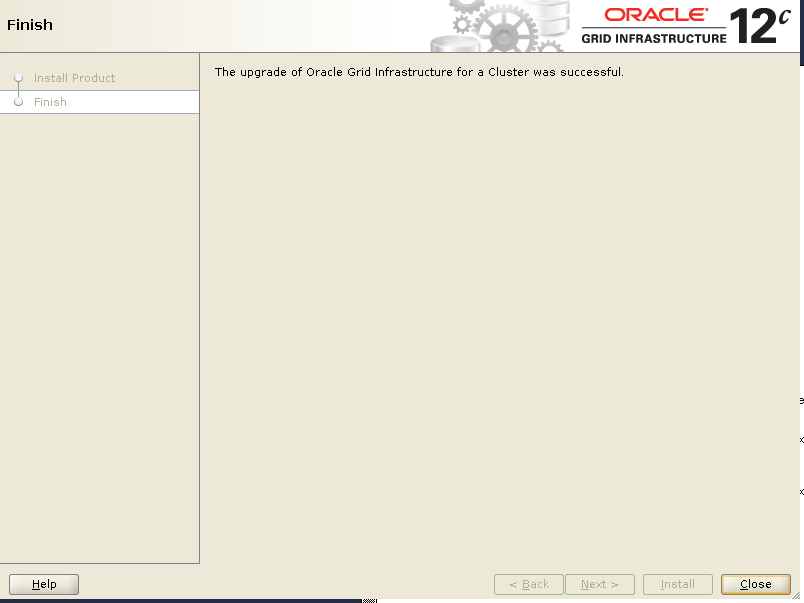
gridSetup.sh Finish
gridSetup.sh Finish

ORA-15032 ORA-59303 ORA-15221: ASM operation requires compatible.asm of 11.1.0.0.0 or higher

For upgrading 12.1.0.2 GI to 12.2.0.1 GI, after running rootupgrade.sh, there are some disk groups are not mounted.

NAME                  STATE       COMPATIBILITY      V
-------------------- ----------- ------------------- -
GIMR                  DISMOUNTED  0.0.0.0.0          N
FRA                   DISMOUNTED  0.0.0.0.0          N
DATA                  MOUNTED     12.1.0.0.0         N
OCR_VOTE              MOUNTED     11.2.0.4.0         Y
SQL> alter diskgroup FRA mount;
alter diskgroup FRA mount
*
ERROR at line 1:
ORA-15032: not all alterations performed
ORA-59303: The attribute compatible.asm (10.1.0.0.0) of the 
           diskgroup being mounted should be 11.2.0.2.0 or higher.
ORA-15221: ASM operation requires compatible.asm of 11.1.0.0.0 
           or higher
SQL> alter diskgroup FRA mount restricted;

Diskgroup altered.

SQL> alter diskgroup FRA set attribute 'compatible.asm'='11.2.0.4';

Diskgroup altered.

SQL> alter diskgroup FRA dismount;

Diskgroup altered.

SQL> alter diskgroup GIMR mount restricted;

Diskgroup altered.

SQL> alter diskgroup GIMR set attribute 'compatible.asm'='11.2.0.4';

Diskgroup altered.

SQL> alter diskgroup GIMR dismount;

Diskgroup altered.

SQL> alter diskgroup FRA mount;

Diskgroup altered.

SQL> alter diskgroup GIMR mount;

Diskgroup altered.


SQL>   select NAME, STATE, COMPATIBILITY  from  v$asm_diskgroup;

NAME                           STATE       COMPATIBILITY
------------------------------ ----------- -------------------
DATA                           MOUNTED     12.1.0.0.0
FRA                            MOUNTED     11.2.0.4.0
OCR_VOTE                       MOUNTED     11.2.0.4.0
GIMR                           MOUNTED     11.2.0.4.0

Upgrading to 12.2.0.1 Reports Missing Patch 21255373 Even Though It has been Applied

While upgrading Grid Infrastructure (GI) from 12.1.0.2 to 12.2.0.1, gridSetup.sh reports missing pre-requisite patch 21255373 even though patch is already available

$ /u01/app/12.1.0/grid/OPatch/opatch lsinventory|grep 21255373
22393909, 21255373, 25164540, 18868829, 20408163, 20579351, 20350915

It is a bug. the workaround is to use ‘gridSetup.sh -skipPrereqs’ after verifying all other pre-requisites successfully.

$ /u01/app/12.2.0.1/grid/gridSetup.sh -skipPrereqs