Microsoft SQL Server Versions List


Microsoft SQL Server Versions List

https://sqlserverbuilds.blogspot.com/?_sm_au_=iHVkRTWZkQ346ff32sfHjK0s0FFFG#sql2017x

Please show your generosity to help us maintain and improve this website.
One-Time
Monthly
Yearly

Make a one-time donation

Make a monthly donation

Make a yearly donation

Choose an amount

¤5.00
¤15.00
¤100.00
¤5.00
¤15.00
¤100.00
¤5.00
¤15.00
¤100.00

Or enter a custom amount

¤

Your contribution is appreciated.

Your contribution is appreciated.

Your contribution is appreciated.

DonateDonate monthlyDonate yearly
How to Disable RAC Databases Automatic Startup

Sometimes we need disable automatic startup of RAC databases , due to server resource issues or server maintenance, etc. Here are a couple of common methods :

Subscribe to get access

Read more of this content when you subscribe today.

Create 12.2.0.1 Multitenant Database with DBCA

Here is an example of how to create a multitenant oracle database with DBCA in Oracle 12.2.0.1.

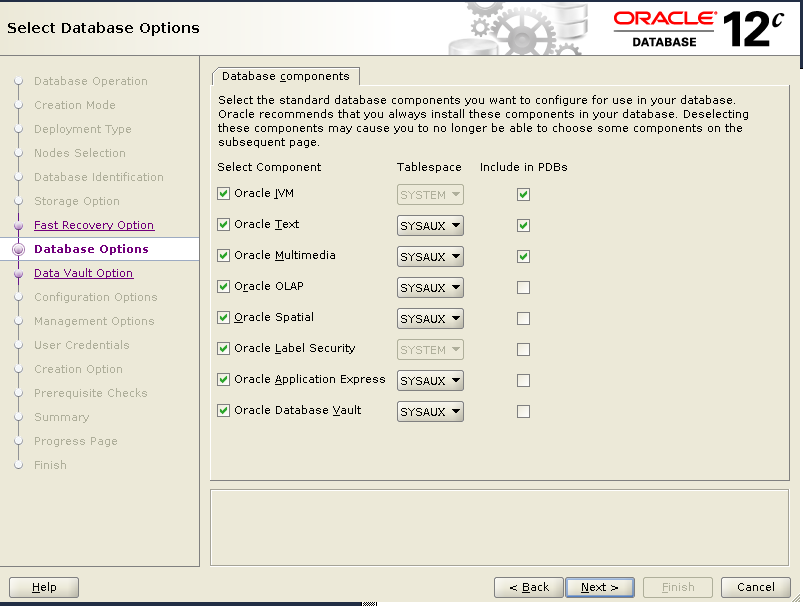
We will create a multitenant database with 1 CDB and 1 PDB. For CDB, all the components are selected and installed.  But for PDB, only following three components are selected and installed :

Oracle JVM 
Oracle Text
Oracle Multimedia

1)Startup VNCSERVER on node 1.

[oracle@racnode1 ~]$ vncserver :1

New 'racnode1.virtuallab:1 (oracle)' desktop is racnode1.virtuallab:1

Starting applications specified in /home/oracle/.vnc/xstartup
Log file is /home/oracle/.vnc/racnode1.virtuallab:1.log

[oracle@racnode1 ~]$

2) Open VNC Viewer .

3) Startup DBCA.

[oracle@racnode1 ~]$/u01/app/oracle/product/12.2.0/dbhome_1/dbca
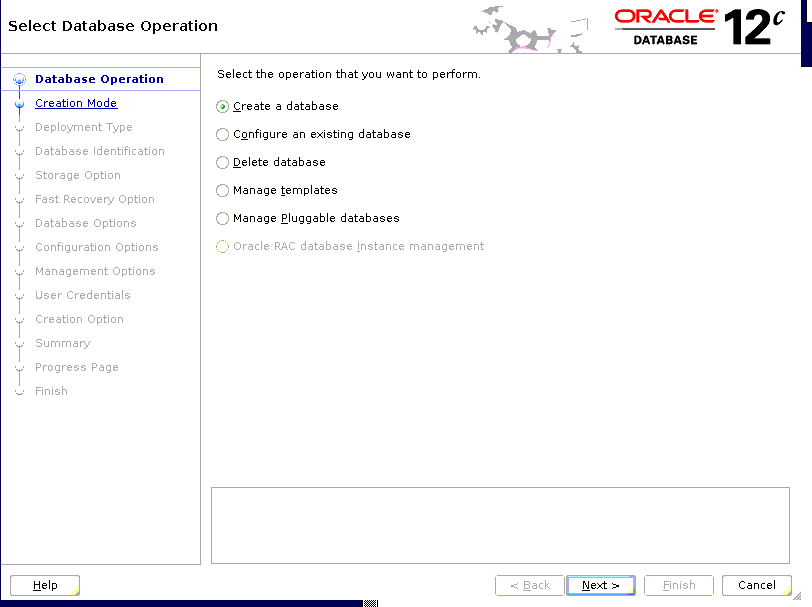
dbca Create a database

4) Choose “Create a database”
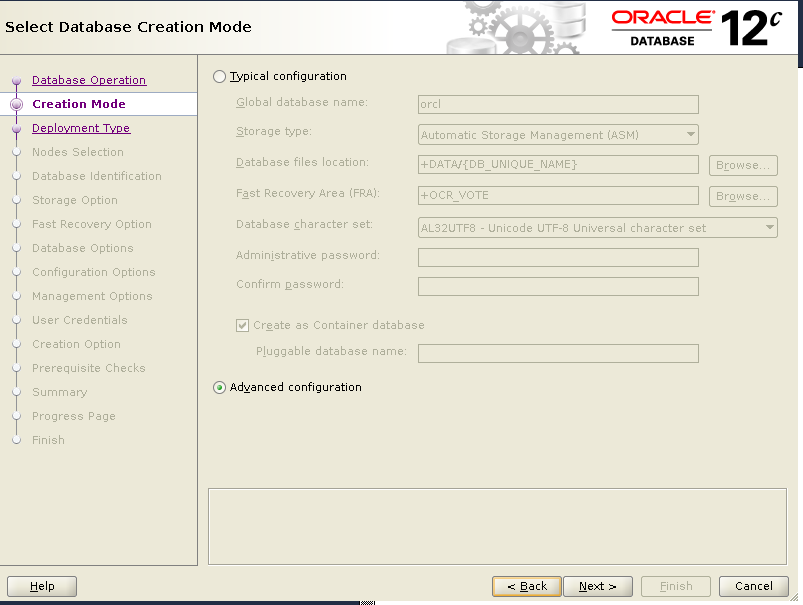
“Advanced configuration”
“Custom database”
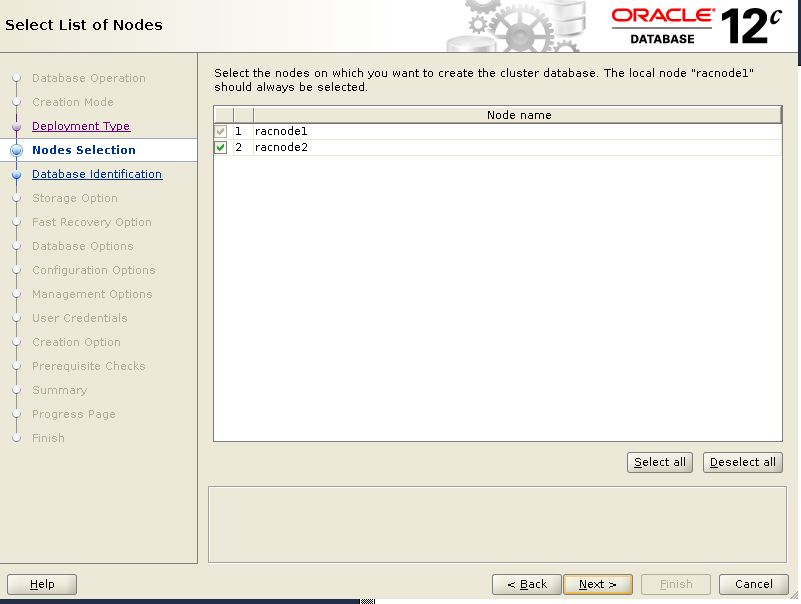
“Select all” nodes
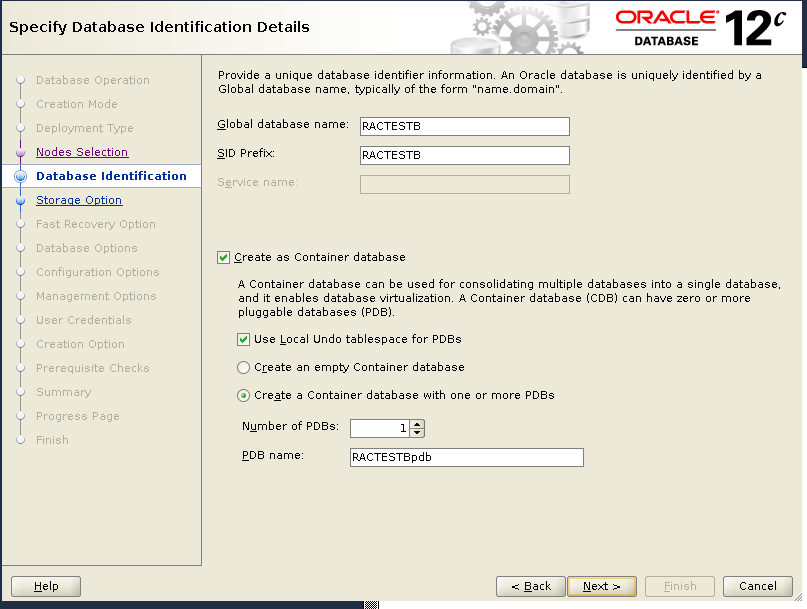
Put in Database Name, SID, PDB details.

..
.

dbca Advanced configuration
dbca select nodes
dbca select nodes
dbca database name
dbca database name
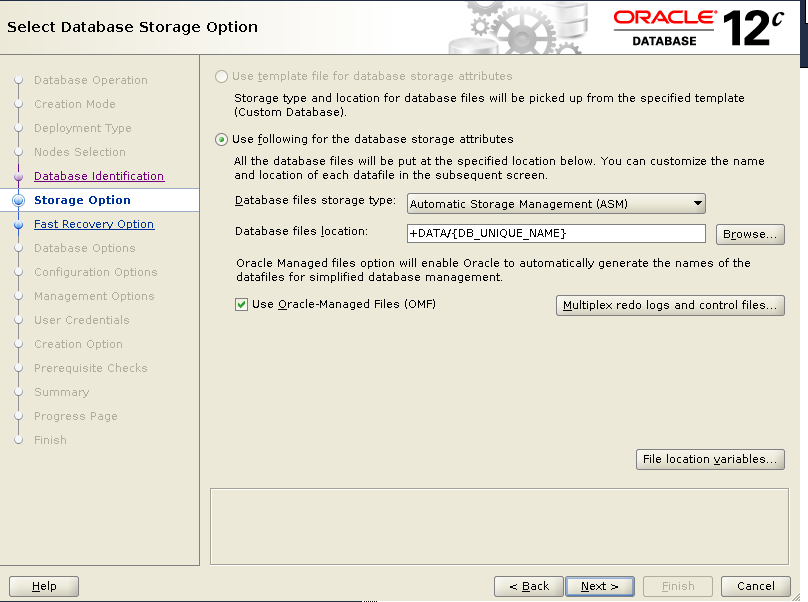
dbca storage option
dbca storage option
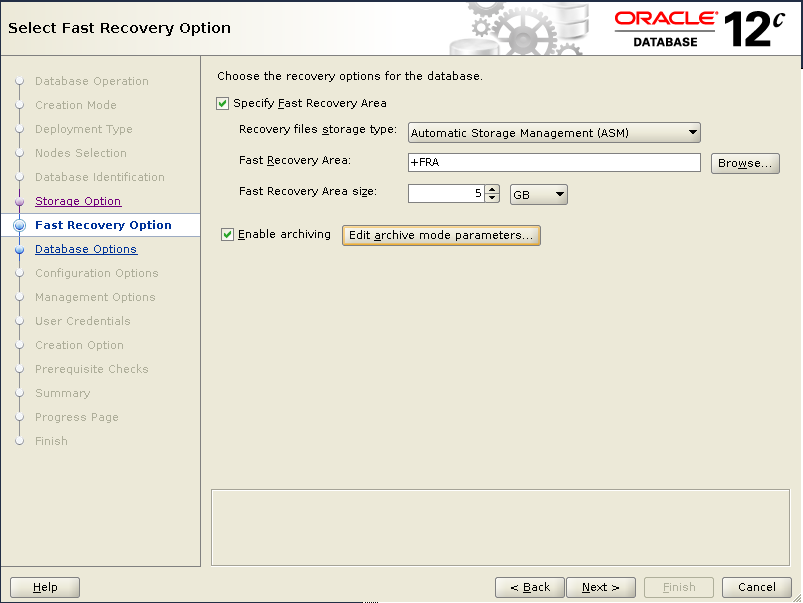
dbca FRA
dbca FRA
dbca database option
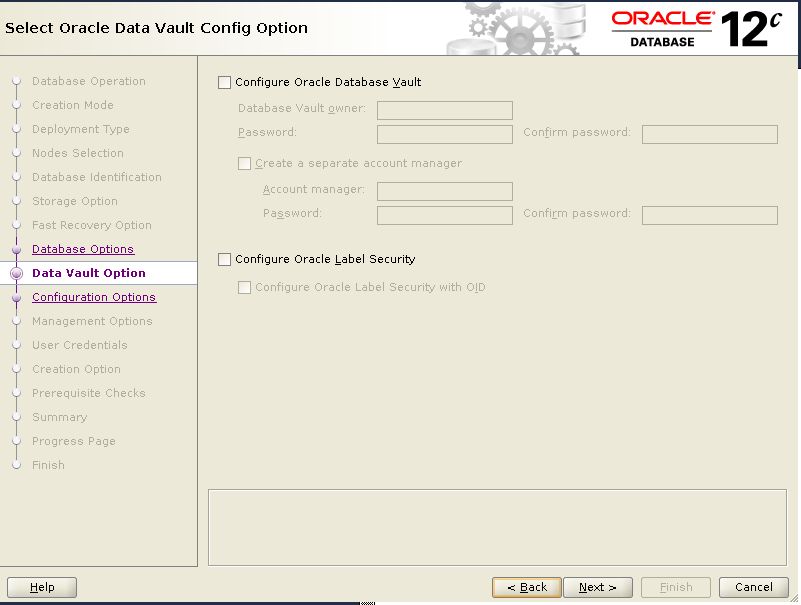
dbca data vault config option

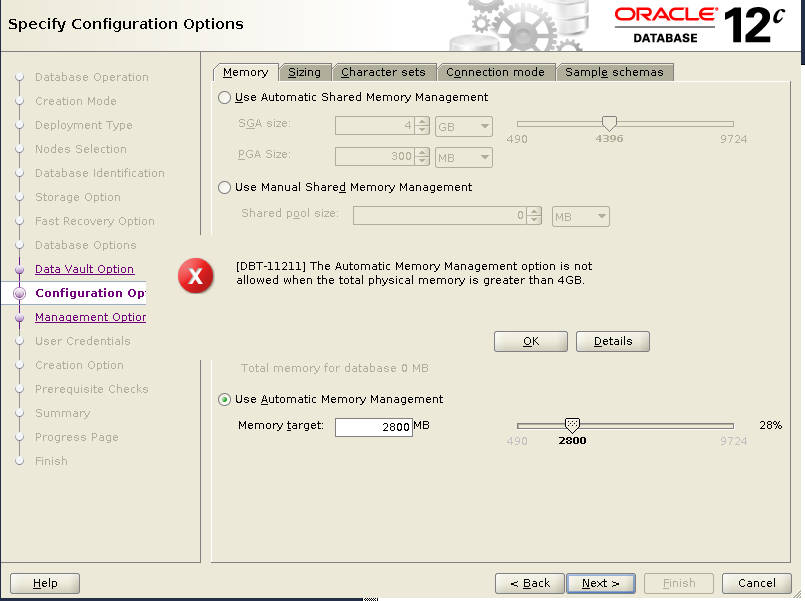
Choose ASMM in memory option, otherwise you will get below error:

[DBT-11211] The Automatic Memory Management option is not allowed when the
            total physical memory is greater than 4GB.
dbca configuration option
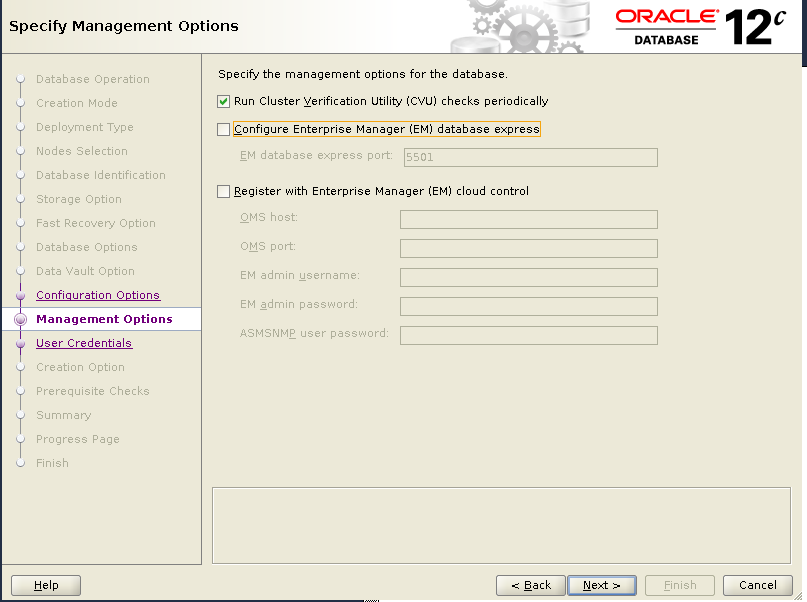
dbca management option
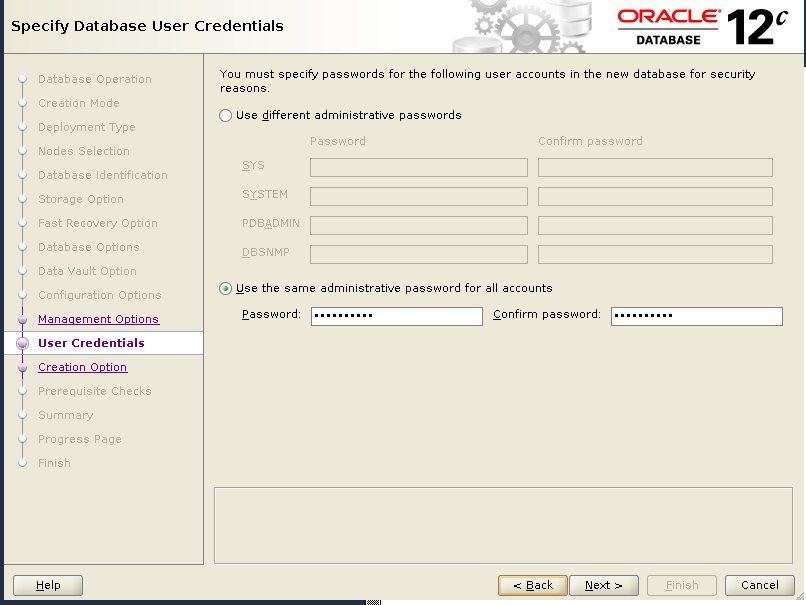
dbca user credentials
dbca creation option
dbca prerequisite Checks
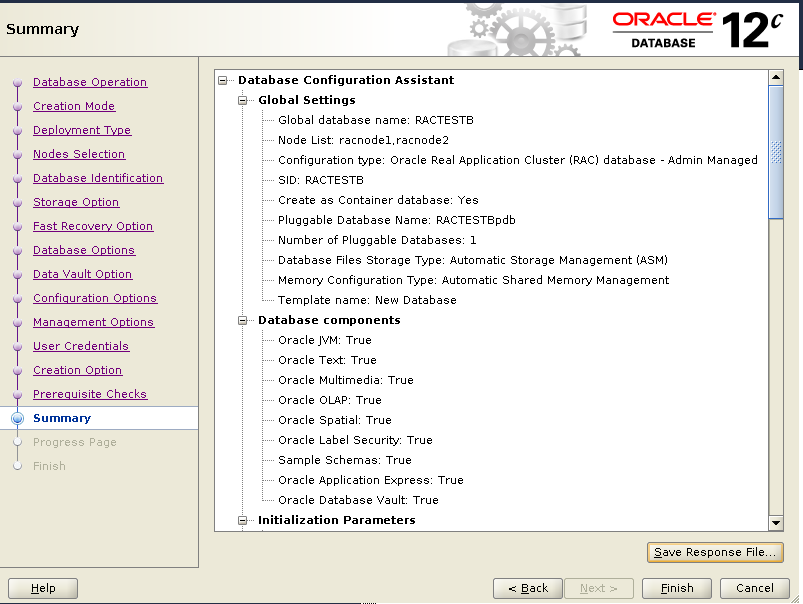
dbca summary
dbca summary
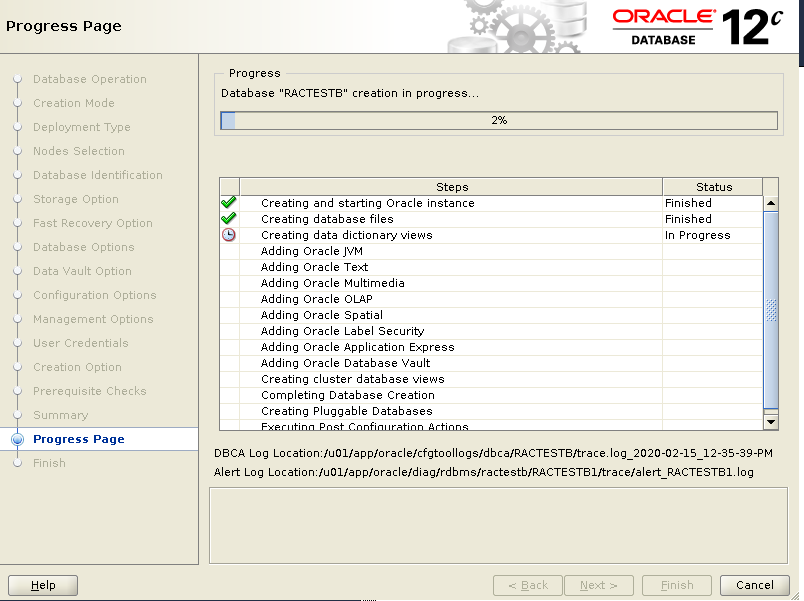
dbca Progress Page
dbca Progress Page
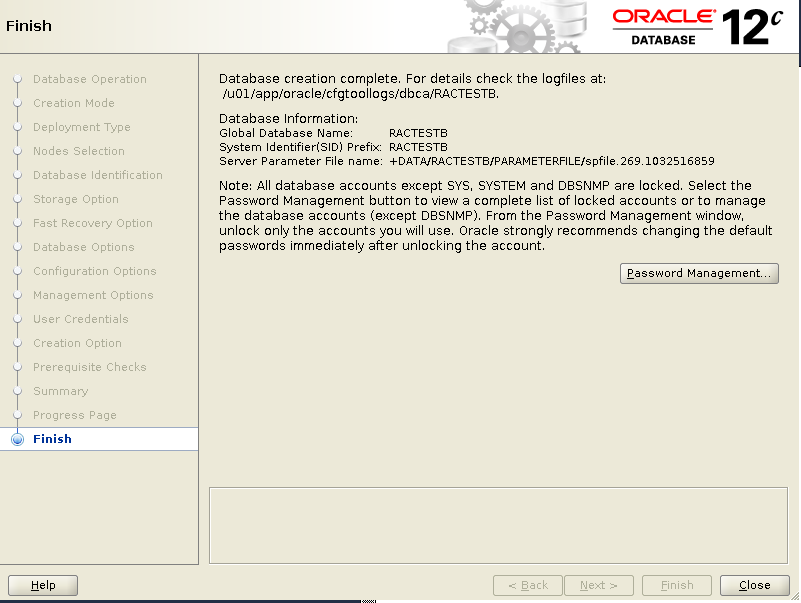
dbca Finish
dbca Finish

5) check the database.

[oracle@racnode1 ~]$ srvctl status database -d RACTESTB
Instance RACTESTB1 is running on node racnode1
Instance RACTESTB2 is running on node racnode2
[oracle@racnode1 ~]$
SQL>show con_name;

SQL>  show con_name;

CON_NAME
------------------------------
CDB$ROOT

SQL> select COMP_NAME, STATUS from dba_registry;

COMP_NAME                                STATUS
---------------------------------------- ----------------
Oracle Database Catalog Views            VALID
Oracle Database Packages and Types       VALID
JServer JAVA Virtual Machine             VALID
Oracle XDK                               VALID
Oracle Database Java Packages            VALID
OLAP Analytic Workspace                  VALID
Oracle Real Application Clusters         VALID
Oracle XML Database                      VALID
Oracle Workspace Manager                 VALID
Oracle Text                              VALID
Oracle Multimedia                        VALID
Spatial                                  VALID
Oracle OLAP API                          VALID
Oracle Application Express               VALID

14 rows selected.


SQL> alter session set container=ractestbpdb;

Session altered.

SQL> show con_name;

CON_NAME
------------------------------
RACTESTBPDB

SQL> select COMP_NAME, STATUS from dba_registry;

COMP_NAME                                STATUS
---------------------------------------- -----------
Oracle Database Catalog Views            VALID
Oracle Database Packages and Types       VALID
JServer JAVA Virtual Machine             VALID
Oracle XDK                               VALID
Oracle Database Java Packages            VALID
Oracle Real Application Clusters         VALID
Oracle XML Database                      VALID
Oracle Workspace Manager                 VALID
Oracle Text                              VALID
Oracle Multimedia                        VALID

10 rows selected.

[DBT-11211] The Automatic Memory Management option is not allowed when the total physical memory is greater than 4GB

In 12.2.0.1, when creating a multitenant CDB database by using DBCA, the below error occurs:

[DBT-11211] The Automatic Memory Management option is not allowed
            when the total physical memory is greater than 4GB
DBT-11211
DBT-11211

Workaround

Choose to use ASMM ( Automatic Shared Memory Management ) instead of AMM ( Automatic Memory Management ).

DBCA Memory Option
DBCA Memory Option

SQL Server Backup History Details

Handy script to list backup history details

Here is a script to list SQL server backup details for the last two weeks  or 14 days.

SELECT
     bs.database_name                                               AS DatabaseName
     ,CASE
        WHEN bs.database_name IN ('model','master','tempdb','msdb')
        THEN 1
        ELSE 0
     END                                                            AS IsSystemDatabase
    ,bs.backup_start_date                                           AS StartTime
    ,bs.backup_finish_date                                          AS FinishTime
    ,bs.expiration_date												AS ExpiryTime
    ,DATEDIFF(MI, bs.backup_start_date, bs.backup_finish_date)      AS DurationMin
    ,DATEDIFF(SS, bs.backup_start_date, bs.backup_finish_date)      AS DurationSec
    ,CASE bs.type
        WHEN 'D' THEN 'Full Backup'
        WHEN 'I' THEN 'Differential Database'
        WHEN 'L' THEN 'Log'
        WHEN 'F' THEN 'File/Filegroup'
        WHEN 'G' THEN 'Differential File'
        WHEN 'P' THEN 'Partial' 
        WHEN 'Q' THEN 'Differential partial'
     END                                                            AS BackupType
    ,CAST(ROUND(((bs.backup_size/1024)/1024),2) AS decimal(10,2))   AS BackupSizeMb
    ,CAST(
        ROUND(((bs.compressed_backup_size/1024)/1024),2) 
                                                AS decimal(18,2))   AS CompressedSizeMb
    , ' '+ISNULL(
      CASE WHEN has_bulk_logged_data = 1 THEN '| Bulk Logged Data' END
    + CASE WHEN is_snapshot = 1 THEN '| Snapshot' END
    + CASE WHEN is_readonly = 1 THEN '| Read-Only' END
    + CASE WHEN is_single_user = 1 THEN '| Single User' END
    + CASE WHEN has_backup_checksums = 1 THEN '| Backup Checksums' END
    + CASE WHEN is_damaged = 1 THEN '| Damaged' END
    + CASE WHEN begins_log_chain = 1 THEN '| Begins Log Chain' END
    + CASE WHEN has_incomplete_metadata = 1 THEN '| Incomplete Metadata' END
    + CASE WHEN is_force_offline = 1 THEN '| Force Offline' END
    + CASE WHEN is_copy_only = 1 THEN '| Copy Only' END
    ,'')                                            AS BackupOptions    
    ,bmf.physical_device_name                       AS BackupFile
    ,bs.user_name                                   AS ExecUser
FROM msdb.dbo.backupmediafamily AS bmf
    INNER JOIN msdb.dbo.backupset AS bs ON bmf.media_set_id = bs.media_set_id
WHERE DATEDIFF(dd, bs.backup_finish_date, GETDATE()) <= 14
ORDER by bs.backup_start_date  DESC;