How to Open Seed Database to Read Write Mode

In CDB database environment, the seed database is always in “READ ONLY” mode. The mode changes only by applying patches using “datapatch”.

SQL> show pdbs

    CON_ID CON_NAME                       OPEN MODE  RESTRICTED
---------- ------------------------------ ---------- ----------
         2 PDB$SEED                       READ ONLY  NO
         3 TESTPDB                        READ WRITE NO

Under the guidance of Oracle Support for specific purpose, the following instructions can be followed to open seed database “PDB$SEED” in “READ WRITE” mode.

Set hidden parameter “_oracle_script” at session level

SQL> alter session set "_oracle_script"=TRUE;

Session altered.

Close and then open seed database

SQL> alter pluggable database pdb$seed close immediate instances=all;

Pluggable database altered.

SQL>  alter pluggable database pdb$seed open read write instances=all;

Pluggable database altered.

Run the script Oracle support provided

SQL> alter session set container=PDB$SEED;

Session altered.

SQL>  @?/rdbms/admin/catclust.sql
...
..
.

Close and then open seed database in READ ONLY mode

SQL> connect / as sysdba
SQL> alter session set "_oracle_script"=TRUE;

Session altered.

SQL> alter pluggable database pdb$seed close immediate instances=all;

Pluggable database altered.

SQL> connect / as sysdba
SQL> alter session set "_oracle_script"=TRUE;

SQL>  alter pluggable database pdb$seed open read only instances=all;

Pluggable database altered.
SQL> show pdbs

    CON_ID CON_NAME                       OPEN MODE  RESTRICTED
---------- ------------------------------ ---------- ----------
         2 PDB$SEED                       READ ONLY  NO
         3 TESTPDB                        READ WRITE NO

Per Development, setting _ORACLE_SCRIPT to TRUE is something to be used only by Oracle internally.  There may be a case where a note says to use it explicitly, but you should not use it outside the context of that note.  In general is not to be set explicitly by users.
ORA-65025 when Renaming Global_Name in PDB

SQL>select * from global_name;

GLOBAL_NAME
--------------------------------------------------
OLDNAME

SQL>  alter pluggable database rename global_name to NEWNAME;
 alter pluggable database rename global_name to NEWNAME
                                                *
ERROR at line 1:
ORA-65045: pluggable database not in a restricted mode

SOLUTION

Open PDB in restricted mode, and close all other instances in RAC environment.

SQL> alter pluggable database OLDNAME open restricted;

Pluggable database altered.

SQL> alter session set container=OLDNAME;

Session altered.

SQL>alter pluggable database rename global_name to NEWNAME;

Pluggable database altered

SQL>select * from global_name;

GLOBAL_NAME
--------------------------------------------------
NEWNAME

How to Create Service on Non-RAC PDB

As we know, we can use ‘srvctl’ utility to create a service for a RAC database. Now I demonstrate how to create a service for a standalone CDB/PDB database.

For non CDB/PDB database, we can use ‘service_name’ parameter to specify service names.

SQL> show parameter service_name;

 NAME             TYPE    VALUE
 --------------- ------- ------------------
 service_names   string  HR,STOCK,INVENTORY

Subscribe to get access

Read more of this content when you subscribe today.

How to Rename CDB PDB and Change DBID in Oracle Multitenant Architecture

Sometimes DBAs have to change CDB/PDB names to meet the organization’s naming standards, and change the DBID of a cloned database to make sure database registered in RMAN recovery catalog.

This post illustrates how to rename CDB/PDB, change DBID, and move and rename datafiles/tempfiles/controlfiles of CDB/PDB.

Subscribe to get access

Read more of this content when you subscribe today.

Create 12.2.0.1 Multitenant Database with DBCA

Here is an example of how to create a multitenant oracle database with DBCA in Oracle 12.2.0.1.

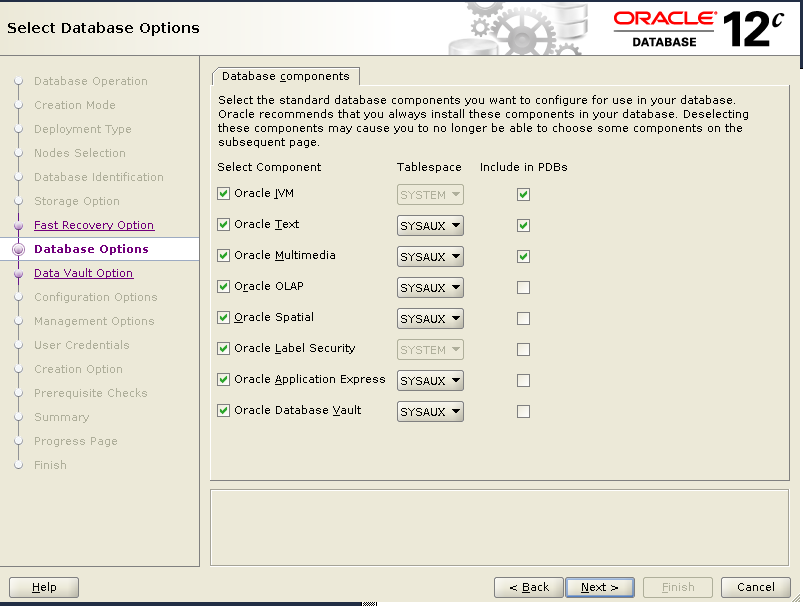
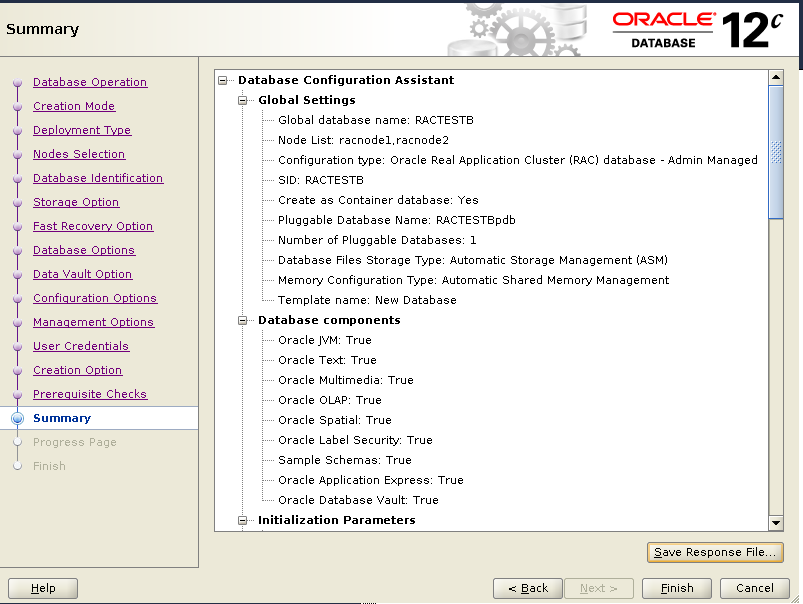
We will create a multitenant database with 1 CDB and 1 PDB. For CDB, all the components are selected and installed.  But for PDB, only following three components are selected and installed :

Oracle JVM 
Oracle Text
Oracle Multimedia

1)Startup VNCSERVER on node 1.

[oracle@racnode1 ~]$ vncserver :1

New 'racnode1.virtuallab:1 (oracle)' desktop is racnode1.virtuallab:1

Starting applications specified in /home/oracle/.vnc/xstartup
Log file is /home/oracle/.vnc/racnode1.virtuallab:1.log

[oracle@racnode1 ~]$

2) Open VNC Viewer .

3) Startup DBCA.

[oracle@racnode1 ~]$/u01/app/oracle/product/12.2.0/dbhome_1/dbca
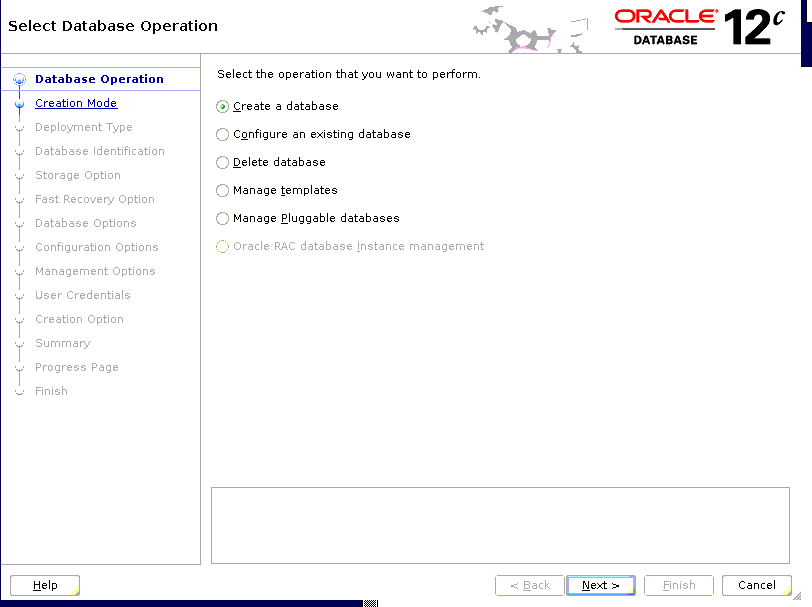
dbca Create a database

4) Choose “Create a database”
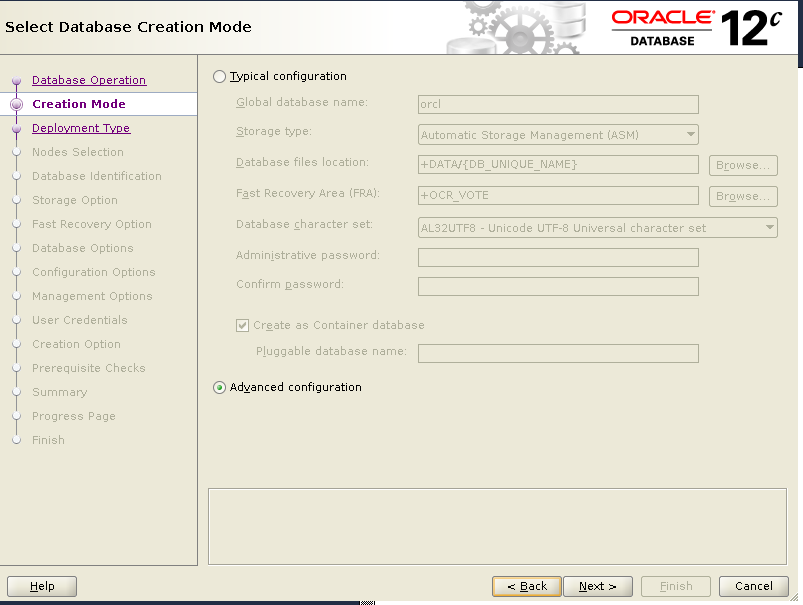
“Advanced configuration”
“Custom database”
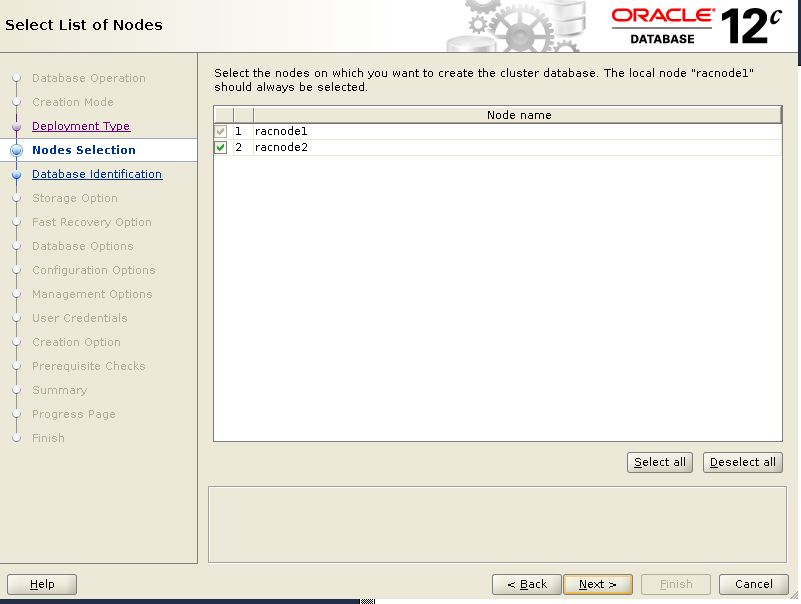
“Select all” nodes
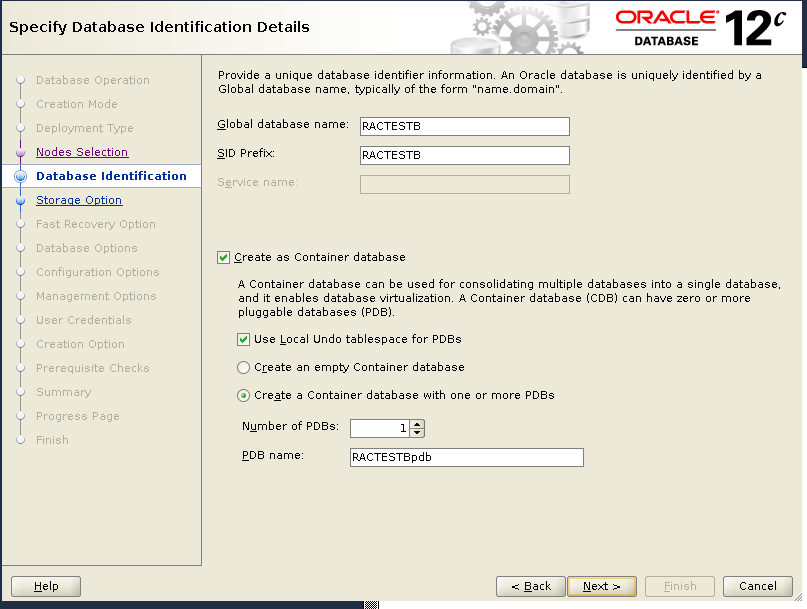
Put in Database Name, SID, PDB details.

..
.

dbca Advanced configuration
dbca select nodes
dbca select nodes
dbca database name
dbca database name
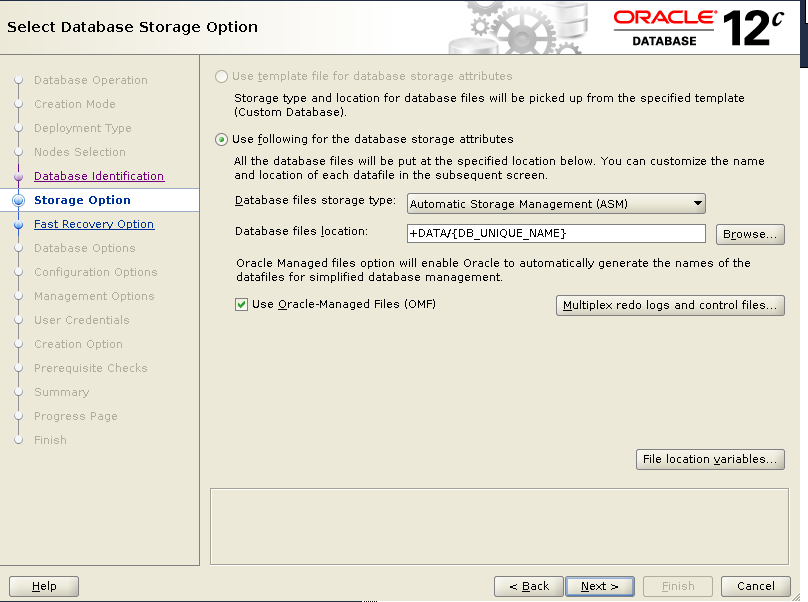
dbca storage option
dbca storage option
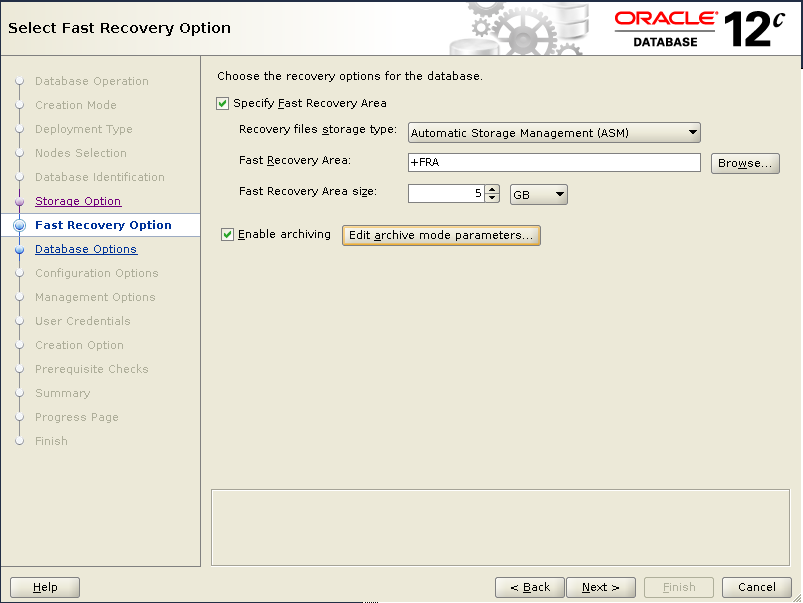
dbca FRA
dbca FRA
dbca database option
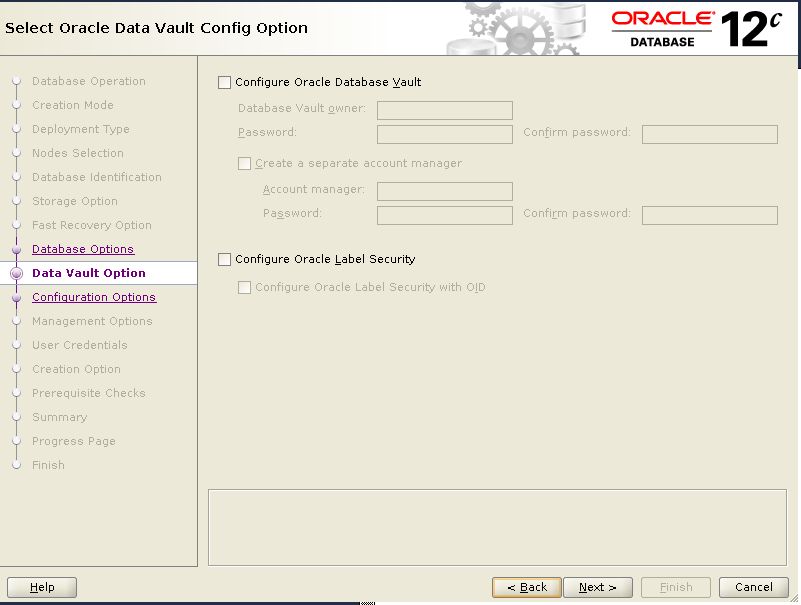
dbca data vault config option

Choose ASMM in memory option, otherwise you will get below error:

[DBT-11211] The Automatic Memory Management option is not allowed when the
            total physical memory is greater than 4GB.
dbca configuration option
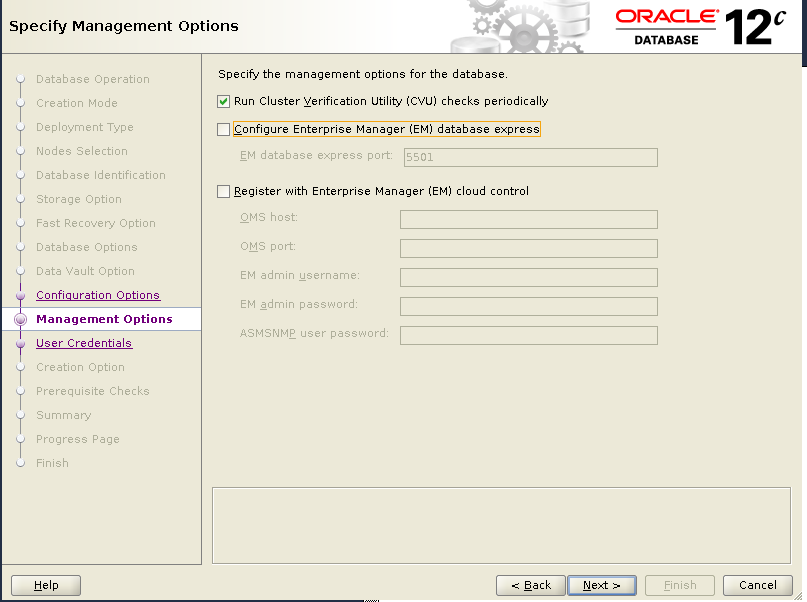
dbca management option
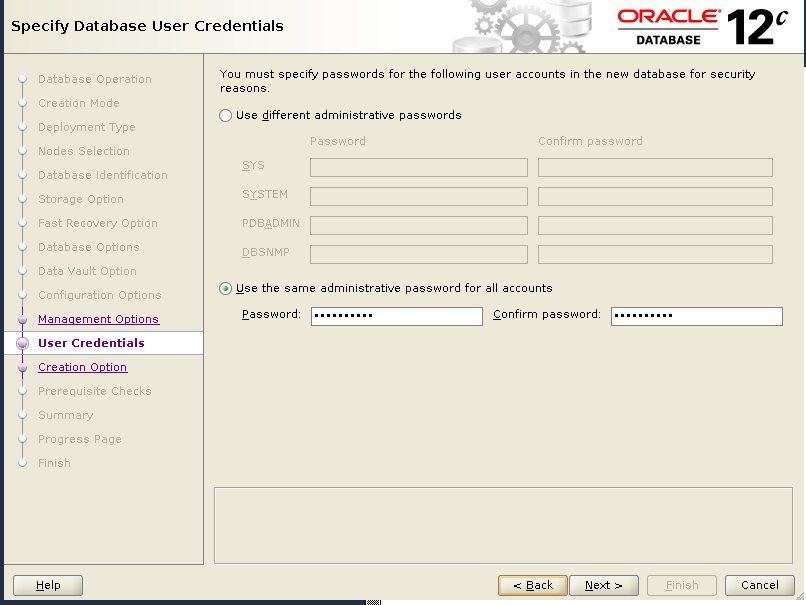
dbca user credentials
dbca creation option
dbca prerequisite Checks
dbca summary
dbca summary
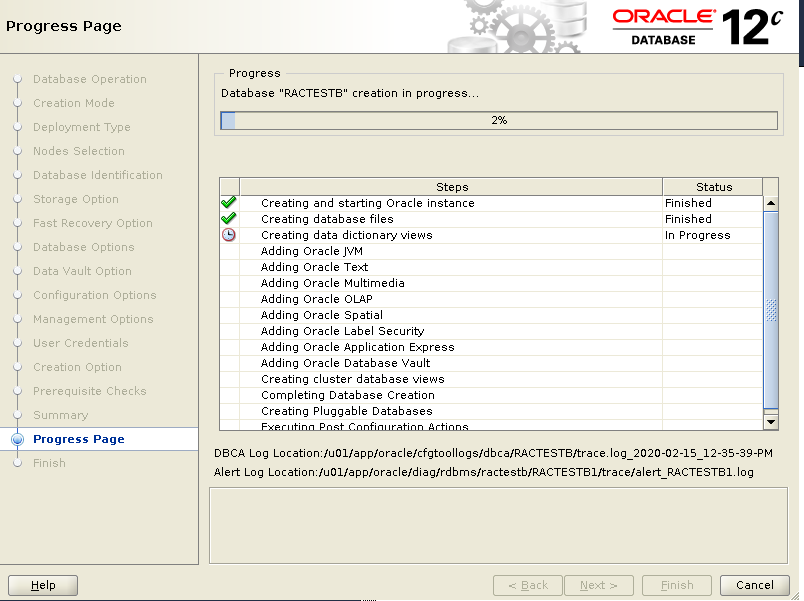
dbca Progress Page
dbca Progress Page
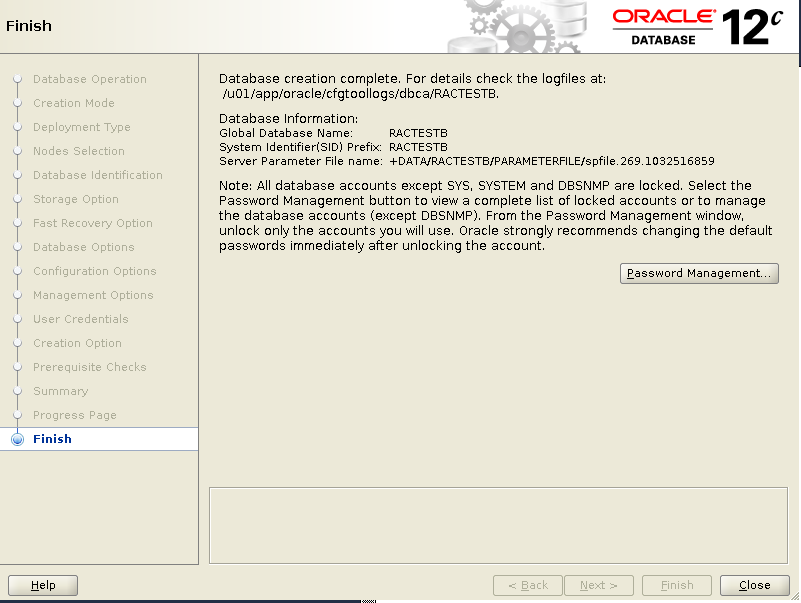
dbca Finish
dbca Finish

5) check the database.

[oracle@racnode1 ~]$ srvctl status database -d RACTESTB
Instance RACTESTB1 is running on node racnode1
Instance RACTESTB2 is running on node racnode2
[oracle@racnode1 ~]$
SQL>show con_name;

SQL>  show con_name;

CON_NAME
------------------------------
CDB$ROOT

SQL> select COMP_NAME, STATUS from dba_registry;

COMP_NAME                                STATUS
---------------------------------------- ----------------
Oracle Database Catalog Views            VALID
Oracle Database Packages and Types       VALID
JServer JAVA Virtual Machine             VALID
Oracle XDK                               VALID
Oracle Database Java Packages            VALID
OLAP Analytic Workspace                  VALID
Oracle Real Application Clusters         VALID
Oracle XML Database                      VALID
Oracle Workspace Manager                 VALID
Oracle Text                              VALID
Oracle Multimedia                        VALID
Spatial                                  VALID
Oracle OLAP API                          VALID
Oracle Application Express               VALID

14 rows selected.


SQL> alter session set container=ractestbpdb;

Session altered.

SQL> show con_name;

CON_NAME
------------------------------
RACTESTBPDB

SQL> select COMP_NAME, STATUS from dba_registry;

COMP_NAME                                STATUS
---------------------------------------- -----------
Oracle Database Catalog Views            VALID
Oracle Database Packages and Types       VALID
JServer JAVA Virtual Machine             VALID
Oracle XDK                               VALID
Oracle Database Java Packages            VALID
Oracle Real Application Clusters         VALID
Oracle XML Database                      VALID
Oracle Workspace Manager                 VALID
Oracle Text                              VALID
Oracle Multimedia                        VALID

10 rows selected.