VirtualBox shared folder is not working, and the VirtualBOx shows below warning message:
“The VirtualBox Guest Additions do not appear to be available on this virtual machine, and shared folders cannot be used without them. to use shared folders inside the virtual machine, please install the Guest Additions in they are not installed, or re-install them if they are not working properly, by selecting Insert Guest Additions CD image from the Devices menu. if they are installed but the machine is not yet fully started then shared folders will be available once it.”
VirtualBox Guest Additions Error
After selecting Insert Guest Additions CD image from the Devices menu, we can see the Additions CD images are mounted.
[root@racnode1 cdrom]# ./VBoxLinuxAdditions.run
Verifying archive integrity... All good.
Uncompressing VirtualBox 6.1.2 Guest Additions for Linux........
VirtualBox Guest Additions installer
Removing installed version 6.1.2 of VirtualBox Guest Additions...
Copying additional installer modules ...
Installing additional modules ...
VirtualBox Guest Additions: Starting.
VirtualBox Guest Additions: Building the VirtualBox Guest Additions kernel
modules. This may take a while.
VirtualBox Guest Additions: To build modules for other installed kernels, run
VirtualBox Guest Additions: /sbin/rcvboxadd quicksetup <version>
VirtualBox Guest Additions: or
VirtualBox Guest Additions: /sbin/rcvboxadd quicksetup all
VirtualBox Guest Additions: Building the modules for kernel
4.14.35-1902.10.7.el7uek.x86_64.
[root@racnode1 cdrom]#
[root@racnode1 ~]# ls -ltr /usr/src/kernels/
drwxr-xr-x  3 root root   20 Jan  6 15:33 3.10.0-327.el7.x86_64
drwxr-xr-x  3 root root   20 Jan  6 15:33 3.10.0-229.el7.x86_64
drwxr-xr-x 24 root root 4096 Feb 23 02:54 4.14.35-1902.10.7.el7uek.x86_64
[root@racnode1 ~]#
Upgrade VirtualBox Additions from VirtualBox 6.1.2 to 6.1.4 successfully.
[root@racnode1 cdrom]# ./VBoxLinuxAdditions.run
Verifying archive integrity... All good.
Uncompressing VirtualBox 6.1.4 Guest Additions for Linux........
VirtualBox Guest Additions installer
Removing installed version 6.1.2 of VirtualBox Guest Additions...
Copying additional installer modules ...
Installing additional modules ...
VirtualBox Guest Additions: Starting.
VirtualBox Guest Additions: Building the VirtualBox Guest Additions kernel
modules. This may take a while.
VirtualBox Guest Additions: To build modules for other installed kernels, run
VirtualBox Guest Additions: /sbin/rcvboxadd quicksetup <version>
VirtualBox Guest Additions: or
VirtualBox Guest Additions: /sbin/rcvboxadd quicksetup all
VirtualBox Guest Additions: Building the modules for kernel
4.14.35-1902.10.7.el7uek.x86_64.
VirtualBox Guest Additions: Running kernel modules will not be replaced until
the system is restarted
[root@racnode1 cdrom]#
Sometimes we need disable automatic startup of RAC databases , due to server resource issues or server maintenance, etc. Here are a couple of common methods :
Subscribe to get access
Read more of this content when you subscribe today.
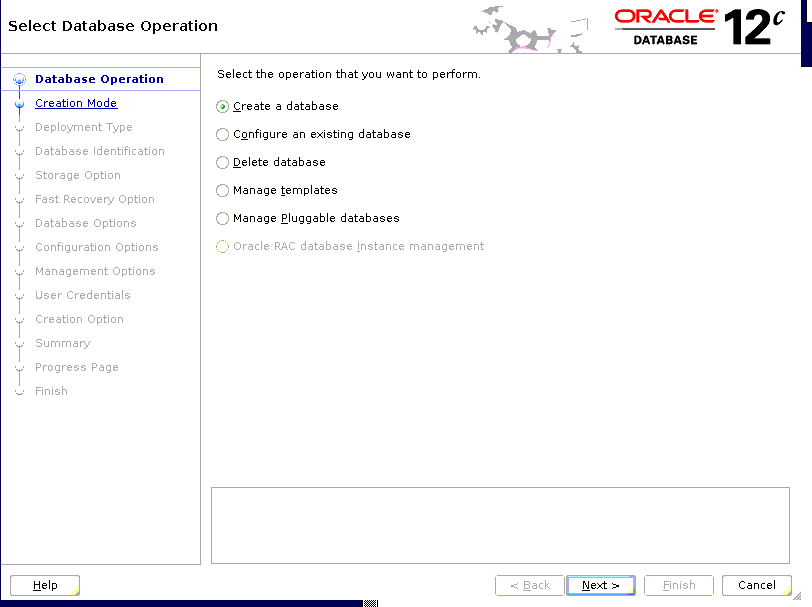
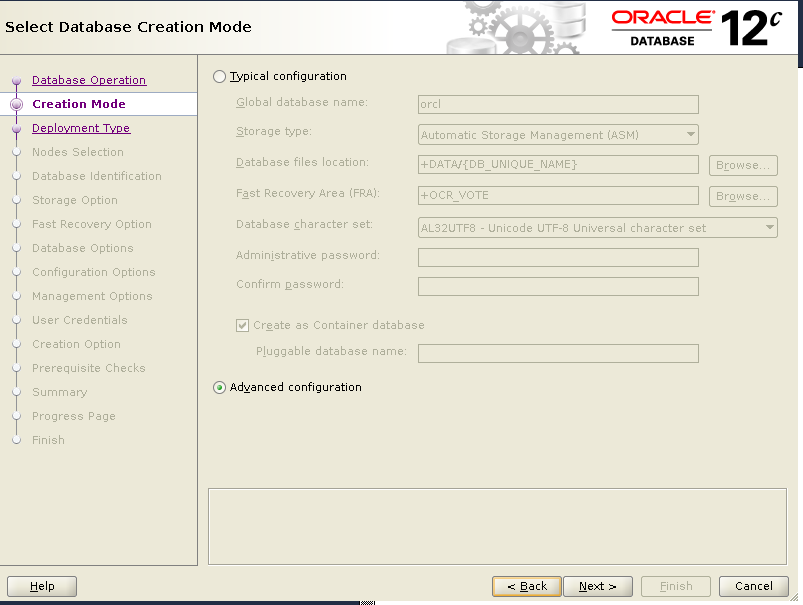
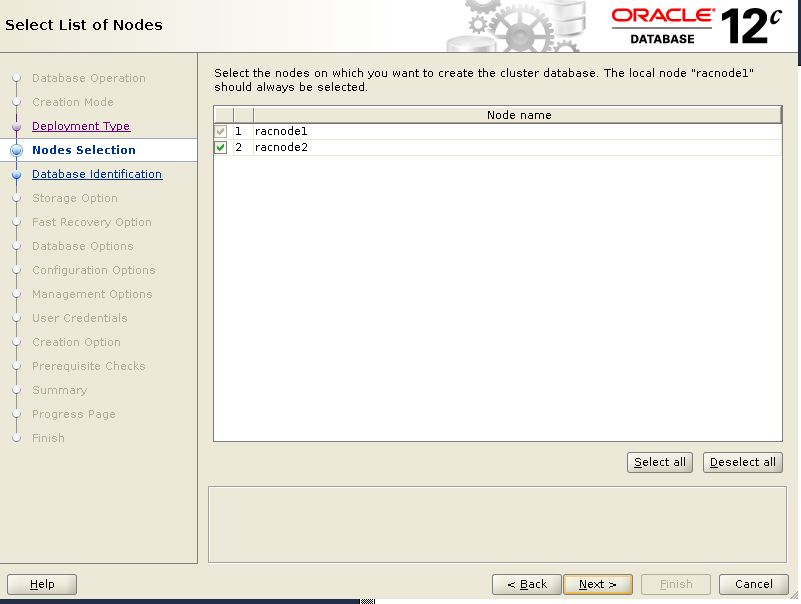
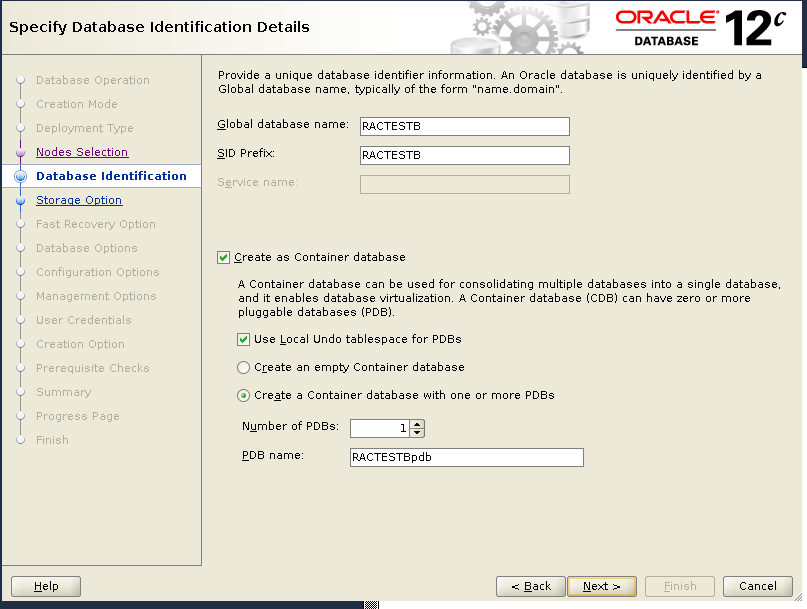
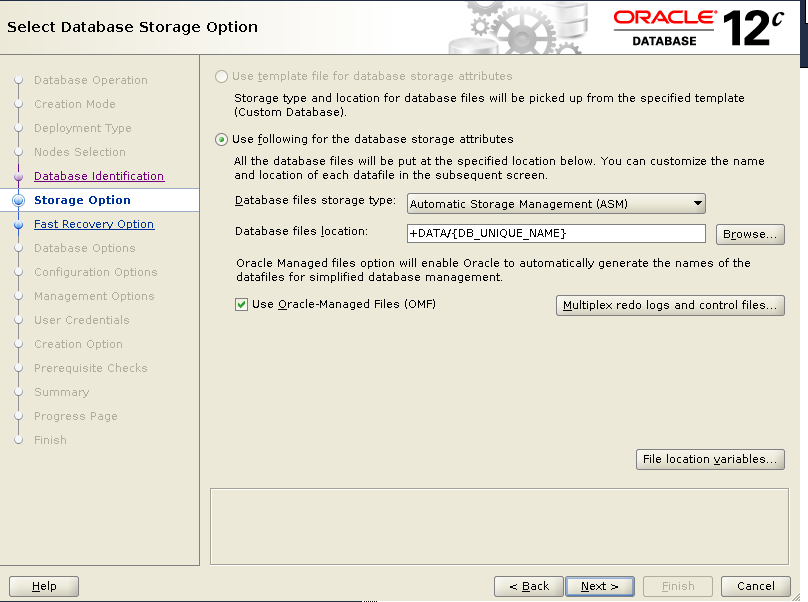
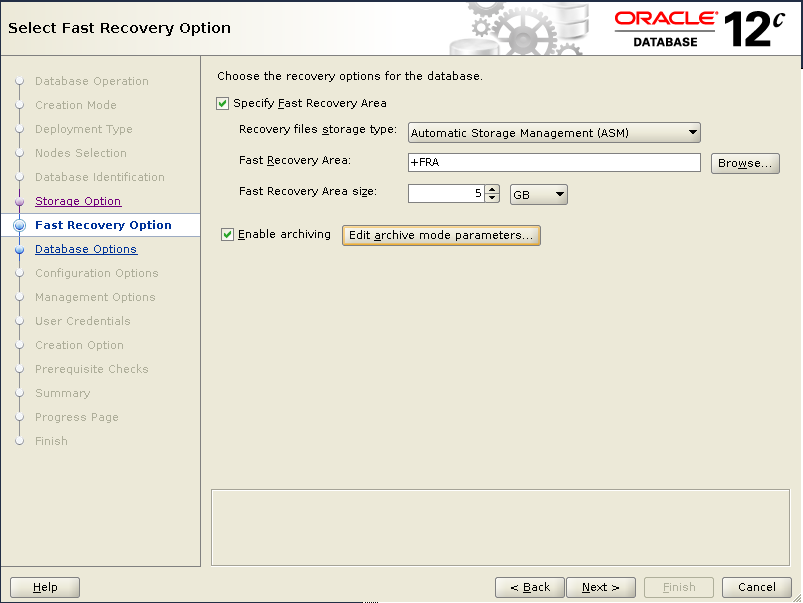
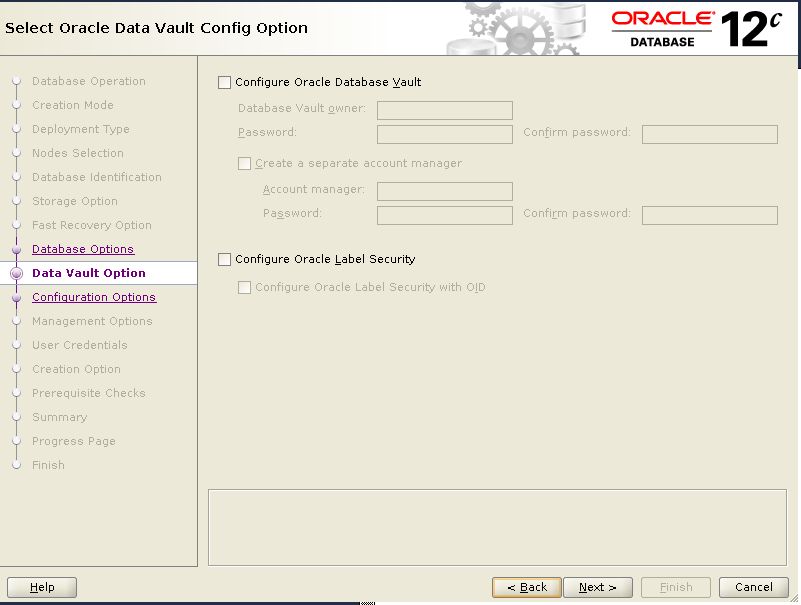
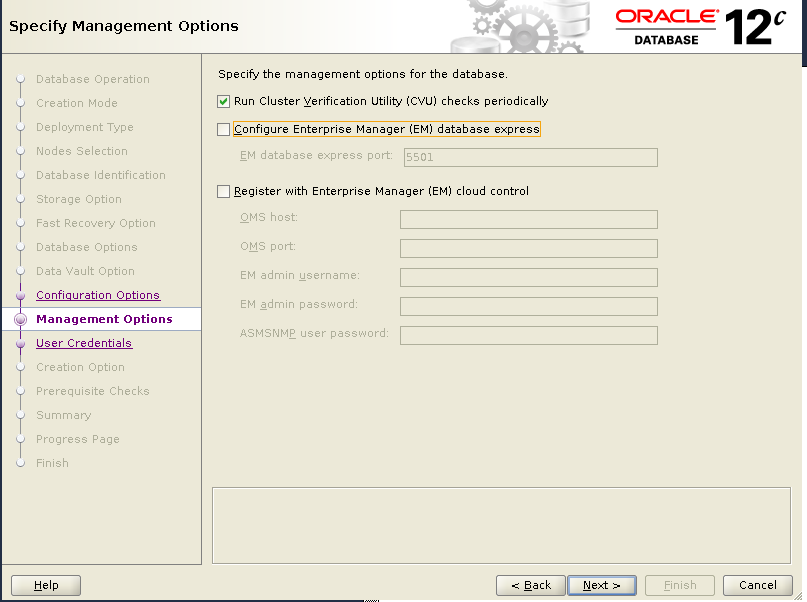
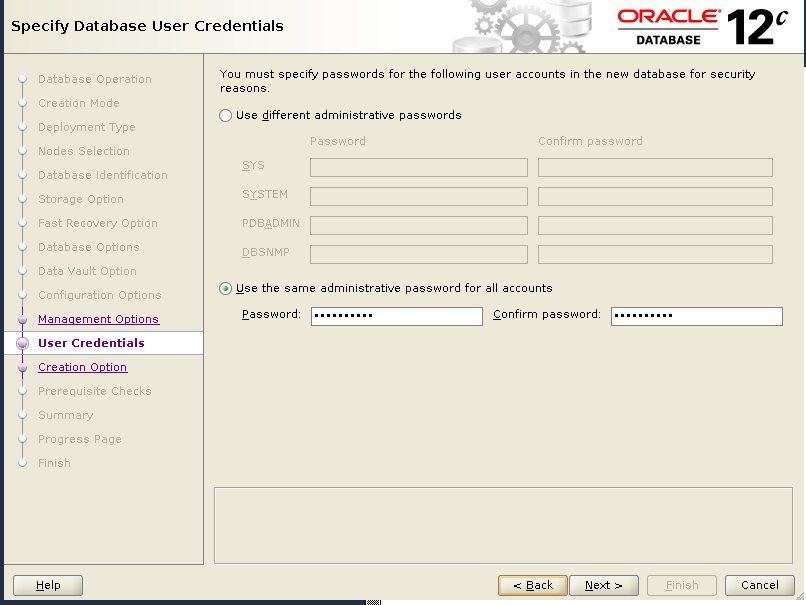
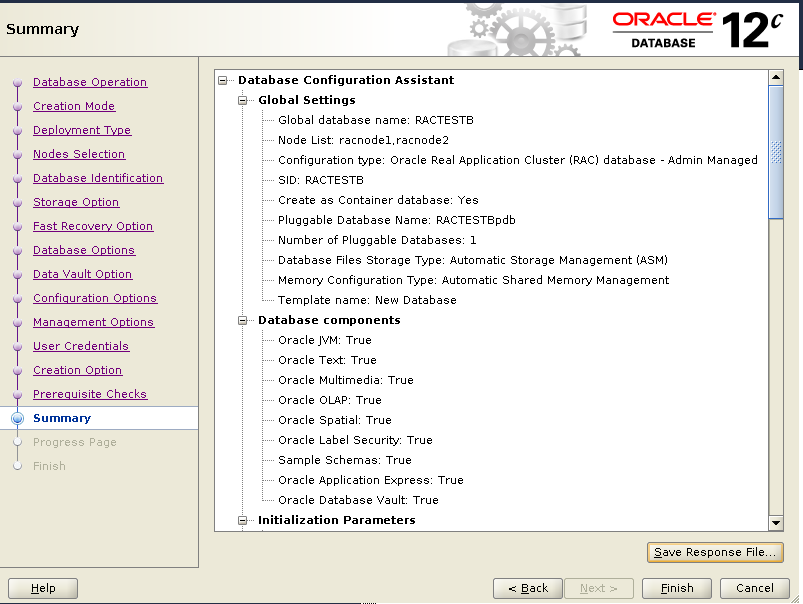
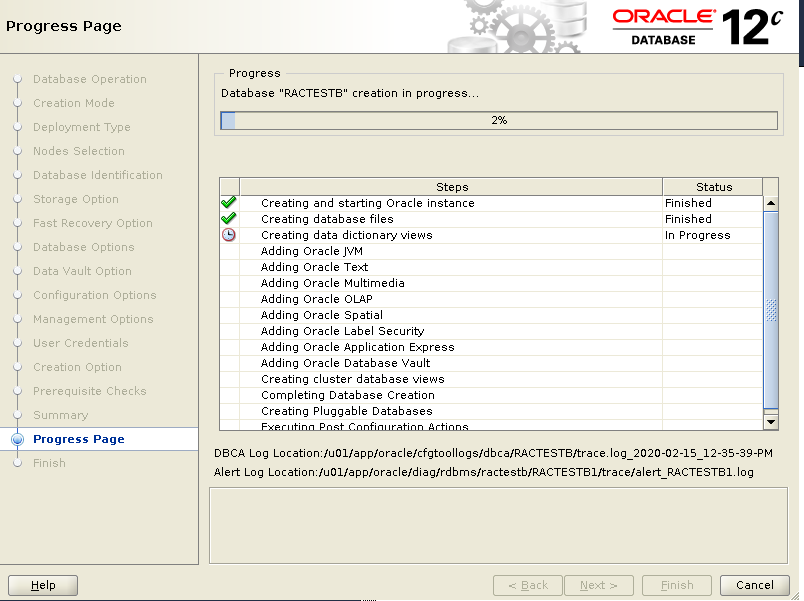
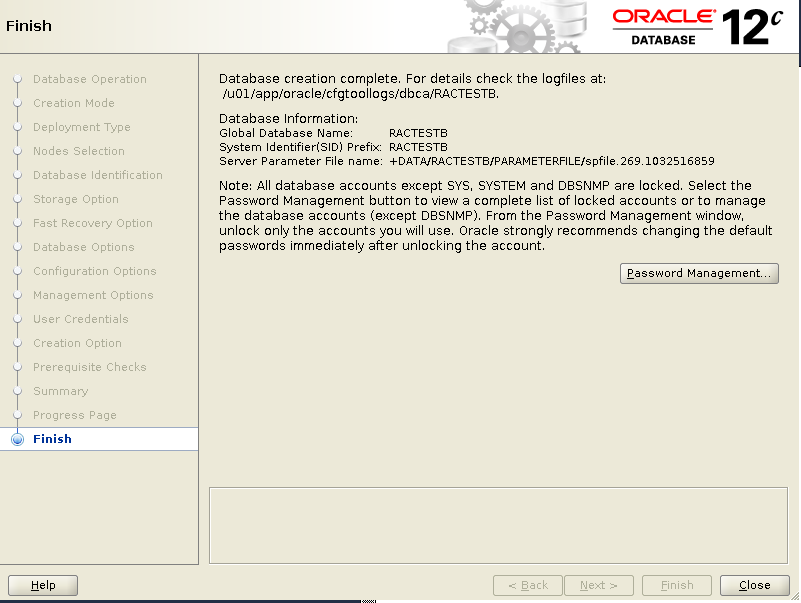
Here is an example of how to create a multitenant oracle database with DBCA in Oracle 12.2.0.1.
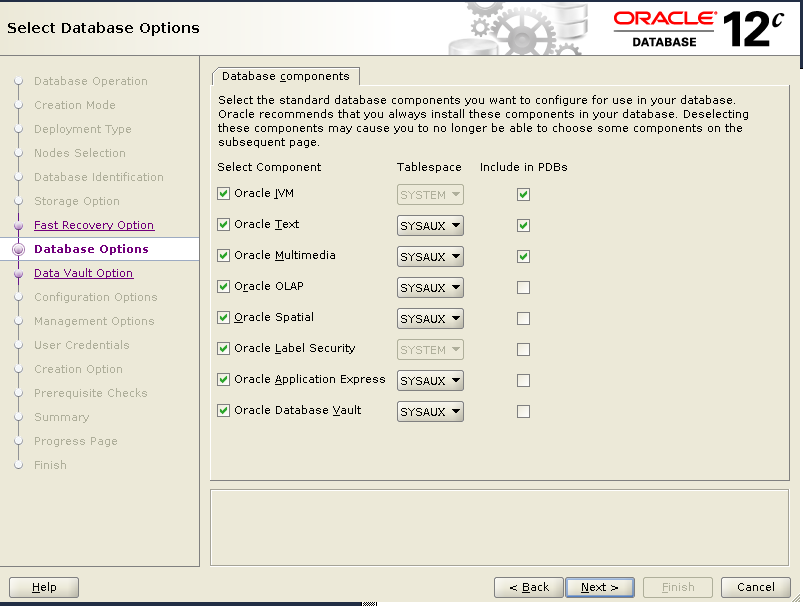
We will create a multitenant database with 1 CDB and 1 PDB. For CDB, all the components are selected and installed. But for PDB, only following three components are selected and installed :
Oracle JVM
Oracle Text
Oracle Multimedia
1)Startup VNCSERVER on node 1.
[oracle@racnode1 ~]$ vncserver :1

New 'racnode1.virtuallab:1 (oracle)' desktop is racnode1.virtuallab:1

Starting applications specified in /home/oracle/.vnc/xstartup
Log file is /home/oracle/.vnc/racnode1.virtuallab:1.log

[oracle@racnode1 ~]$
[oracle@racnode1 ~]$ srvctl status database -d RACTESTB
Instance RACTESTB1 is running on node racnode1
Instance RACTESTB2 is running on node racnode2
[oracle@racnode1 ~]$
SQL>show con_name;

SQL>  show con_name;

CON_NAME
------------------------------
CDB$ROOT

SQL> select COMP_NAME, STATUS from dba_registry;

COMP_NAME                                STATUS
---------------------------------------- ----------------
Oracle Database Catalog Views            VALID
Oracle Database Packages and Types       VALID
JServer JAVA Virtual Machine             VALID
Oracle XDK                               VALID
Oracle Database Java Packages            VALID
OLAP Analytic Workspace                  VALID
Oracle Real Application Clusters         VALID
Oracle XML Database                      VALID
Oracle Workspace Manager                 VALID
Oracle Text                              VALID
Oracle Multimedia                        VALID
Spatial                                  VALID
Oracle OLAP API                          VALID
Oracle Application Express               VALID

14 rows selected.


SQL> alter session set container=ractestbpdb;

Session altered.

SQL> show con_name;

CON_NAME
------------------------------
RACTESTBPDB

SQL> select COMP_NAME, STATUS from dba_registry;

COMP_NAME                                STATUS
---------------------------------------- -----------
Oracle Database Catalog Views            VALID
Oracle Database Packages and Types       VALID
JServer JAVA Virtual Machine             VALID
Oracle XDK                               VALID
Oracle Database Java Packages            VALID
Oracle Real Application Clusters         VALID
Oracle XML Database                      VALID
Oracle Workspace Manager                 VALID
Oracle Text                              VALID
Oracle Multimedia                        VALID

10 rows selected.






 Make DBA Life Easy